Quick Answer
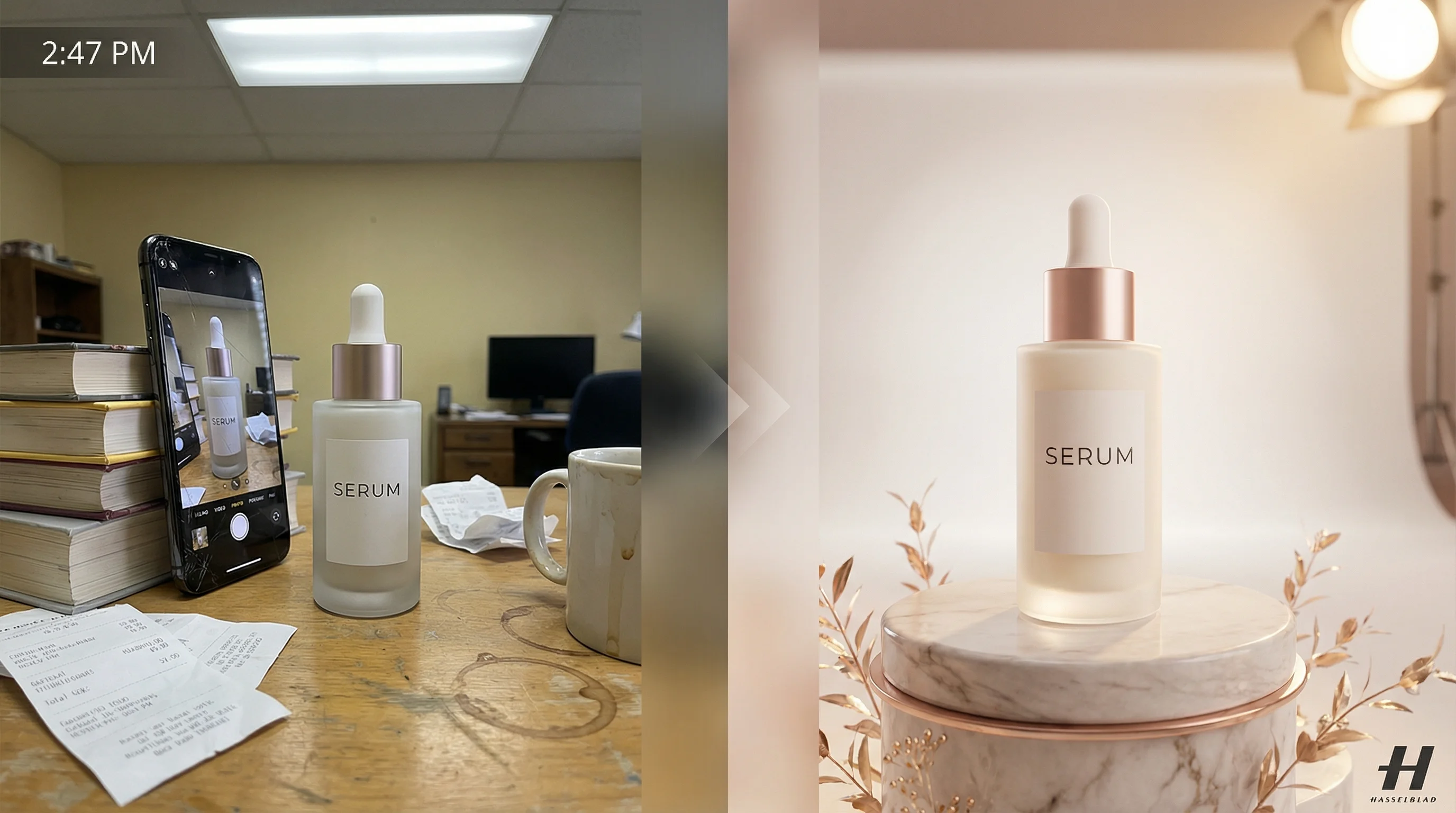
A camera angle is the position from which the camera views the subject, determining what the viewer sees and how they emotionally connect with the image. In AI image generation, specifying the correct shot type—like "Bird's Eye View" or "Dutch Angle"—instructs the AI to adopt specific visual conventions from professional cinematography. This guide catalogs 25 shot types available in Nano Banana Pro, each with distinct narrative impact.
🌱 What is a Camera Angle?

A camera angle (also called a "shot type" or "framing") refers to the specific position and orientation of the camera relative to the subject being photographed or filmed. It's one of the most powerful tools in visual storytelling because it directly influences:
- Emotional response: A low angle makes subjects appear powerful; a high angle makes them seem vulnerable
- Narrative focus: Close-ups emphasize emotion; wide shots establish context
- Psychological impact: Dutch angles create unease; eye-level shots feel natural
Why Camera Angles Matter for AI Generation
When generating images with AI tools like Nano Banana Pro (powered by Google's Gemini 3 Pro), the camera angle you specify in your prompt acts as a creative directive. The AI has been trained on millions of professional photographs and films, so terms like "Bird's Eye View" or "Cowboy Shot" trigger specific visual patterns.
Without specifying a shot type, the AI defaults to generic framing. With the right shot type, you unlock cinematic precision.
| Without Shot Type | With Shot Type |
|---|---|
| "A man waiting at a bus stop in the rain" | "Low Angle Shot of a man waiting at a bus stop in the rain, tall shelter looming overhead" |
| Generic, forgettable image | Dramatic, cinematic result |
🚀 The Complete Camera Angle Catalog

The following 25 shot types are organized into three categories based on their primary function: Framing & Distance, Angle & Perspective, and Narrative & Relational shots.
Category 1: Framing & Distance (11 Shots)
These shots define how much of the subject appears in frame—from extreme close-ups to wide establishing shots.
Extreme Close-Up
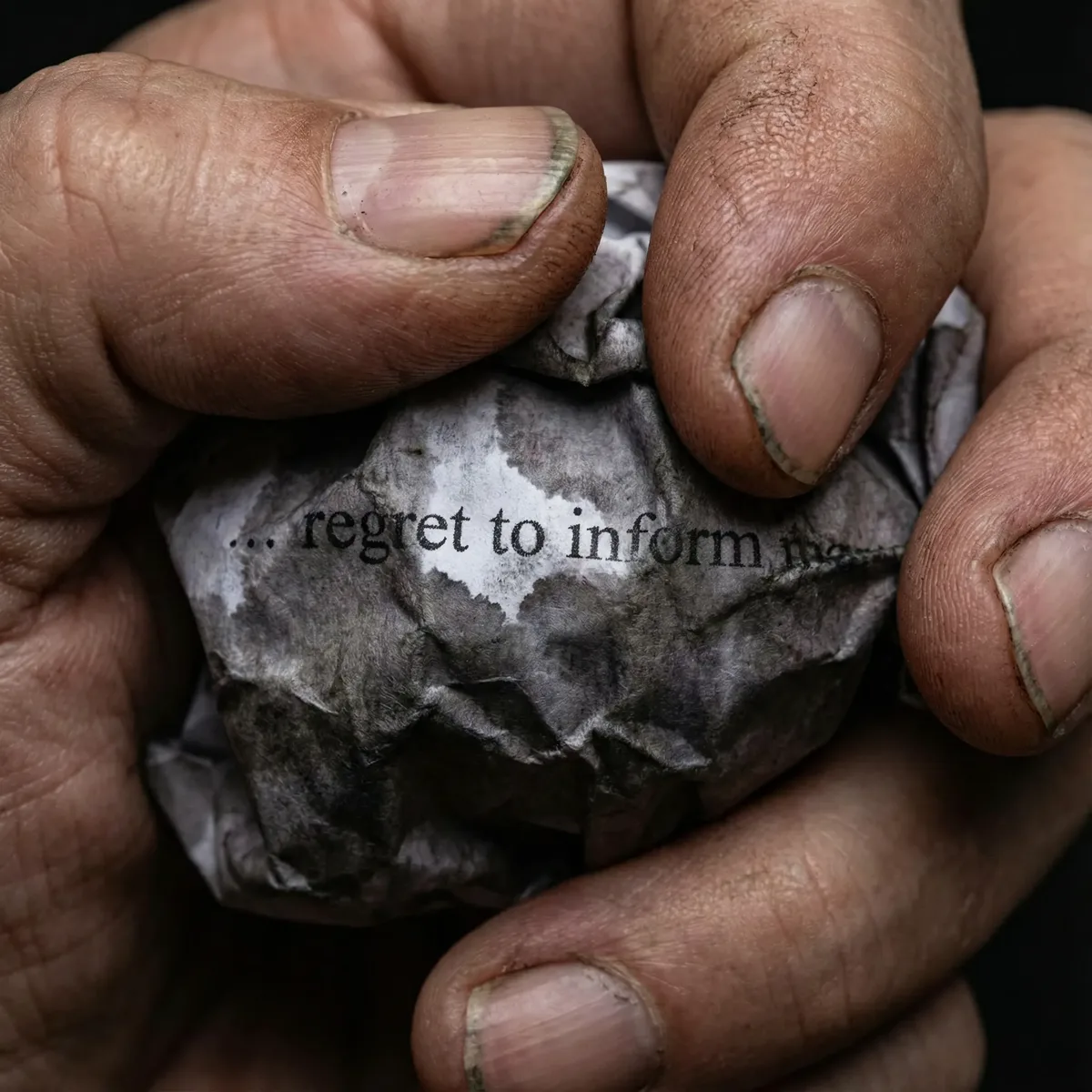
Visual Intent: Magnifies tiny details—trembling fingers, a tear rolling down a cheek, text on a crumpled letter.
Narrative Impact: Creates extreme intimacy and tension. Forces the viewer to focus on a single, crucial detail.
Prompt Example: "Extreme close-up of weathered hands clutching a crumpled letter reading 'regret to inform', dramatic lighting"
Tight Headshot
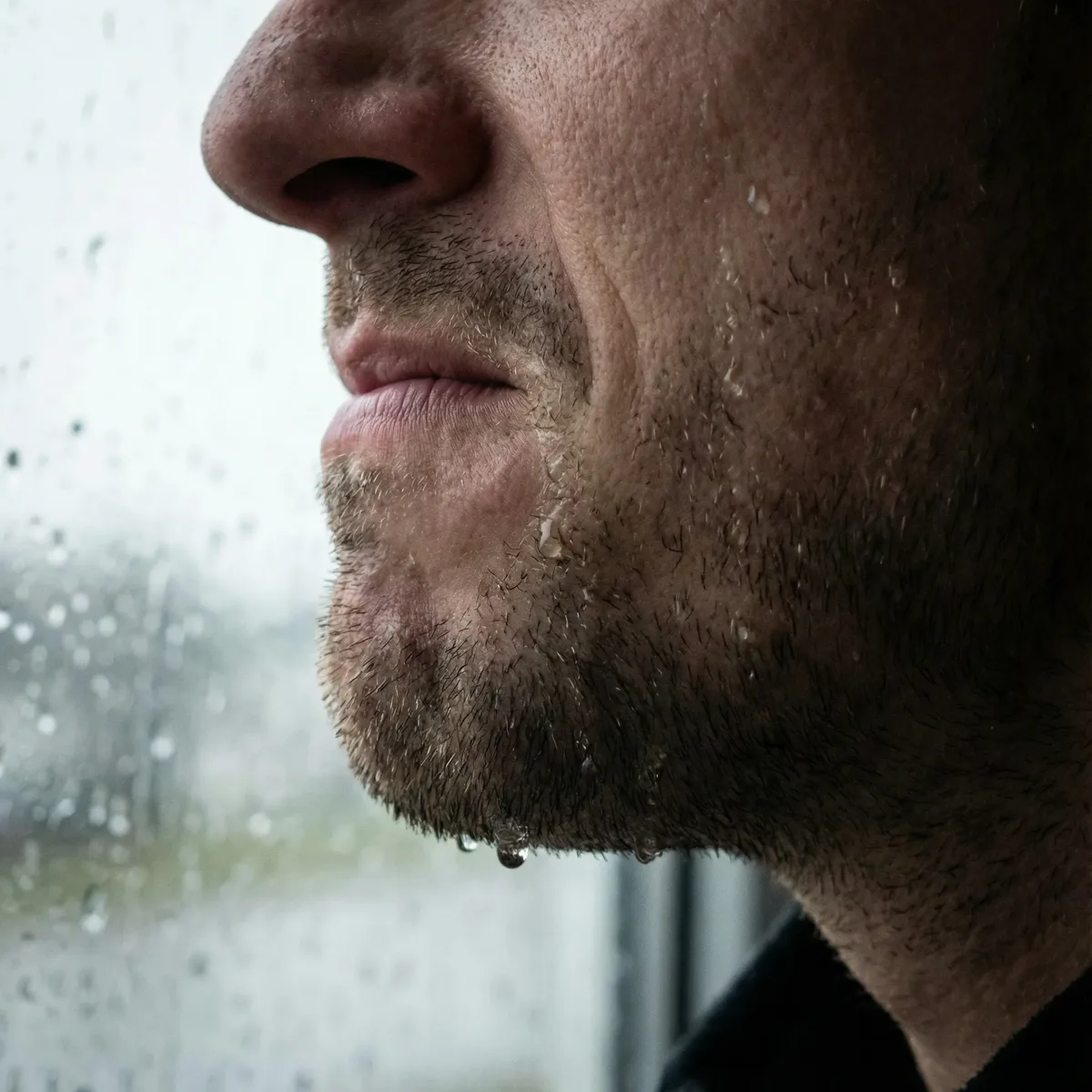
Visual Intent: Fills the frame with the subject's face, capturing micro-expressions—a clenched jaw, tears, fear in the eyes.
Narrative Impact: Maximum emotional intimacy. The viewer cannot escape the subject's emotional state.
Prompt Example: "Tight headshot of a woman, clenched jaw, rain streaking down cheeks like tears, cinematic lighting"
Close-Up
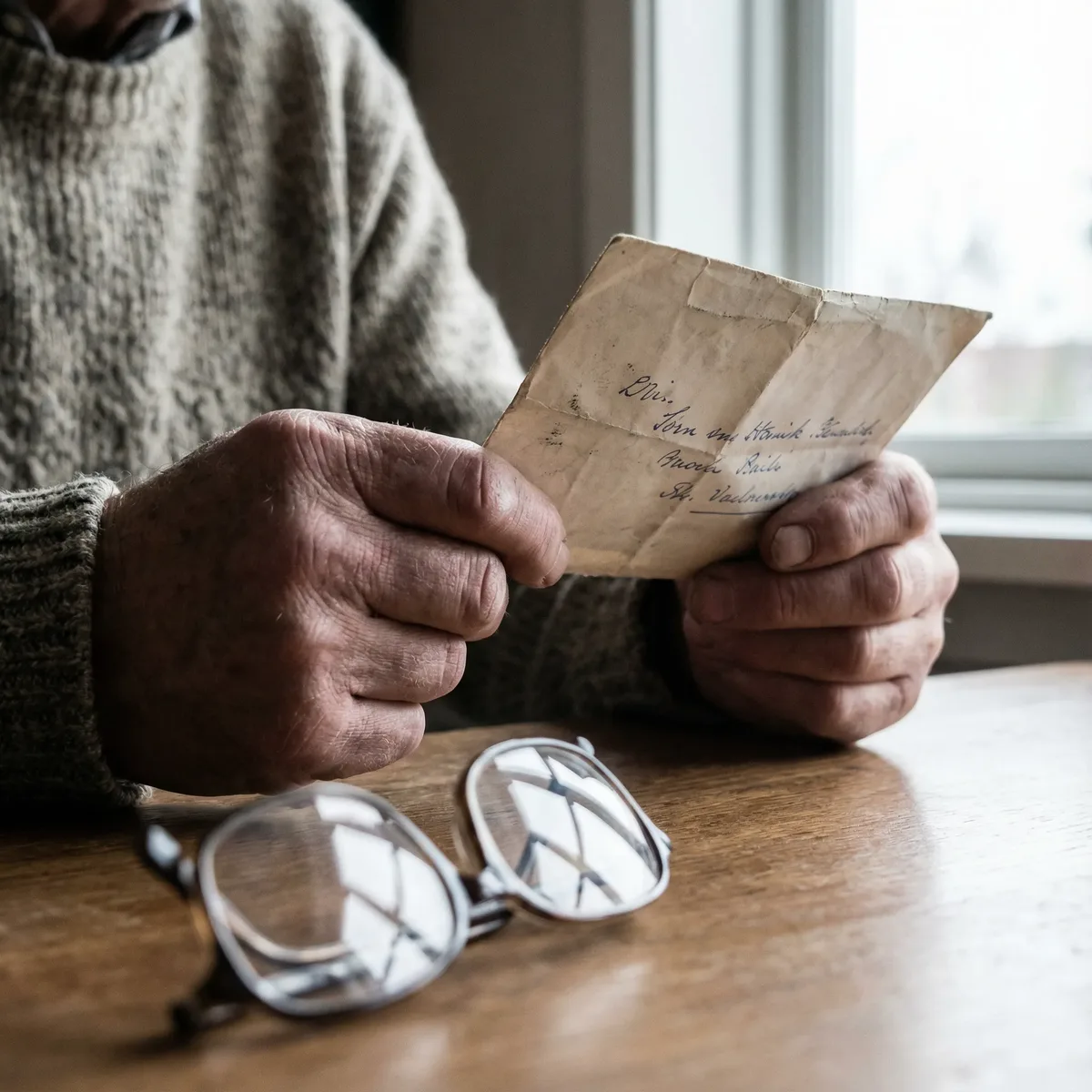
Visual Intent: Frames the subject's face or hands, capturing expressions and fine details like reflective eyes or tense fingers.
Narrative Impact: Focuses attention on the subject's immediate emotional state without the extreme intensity of an extreme close-up.
Prompt Example: "Close-up of hands clutching a folded letter with tense fingers, shallow depth of field"
Headshot
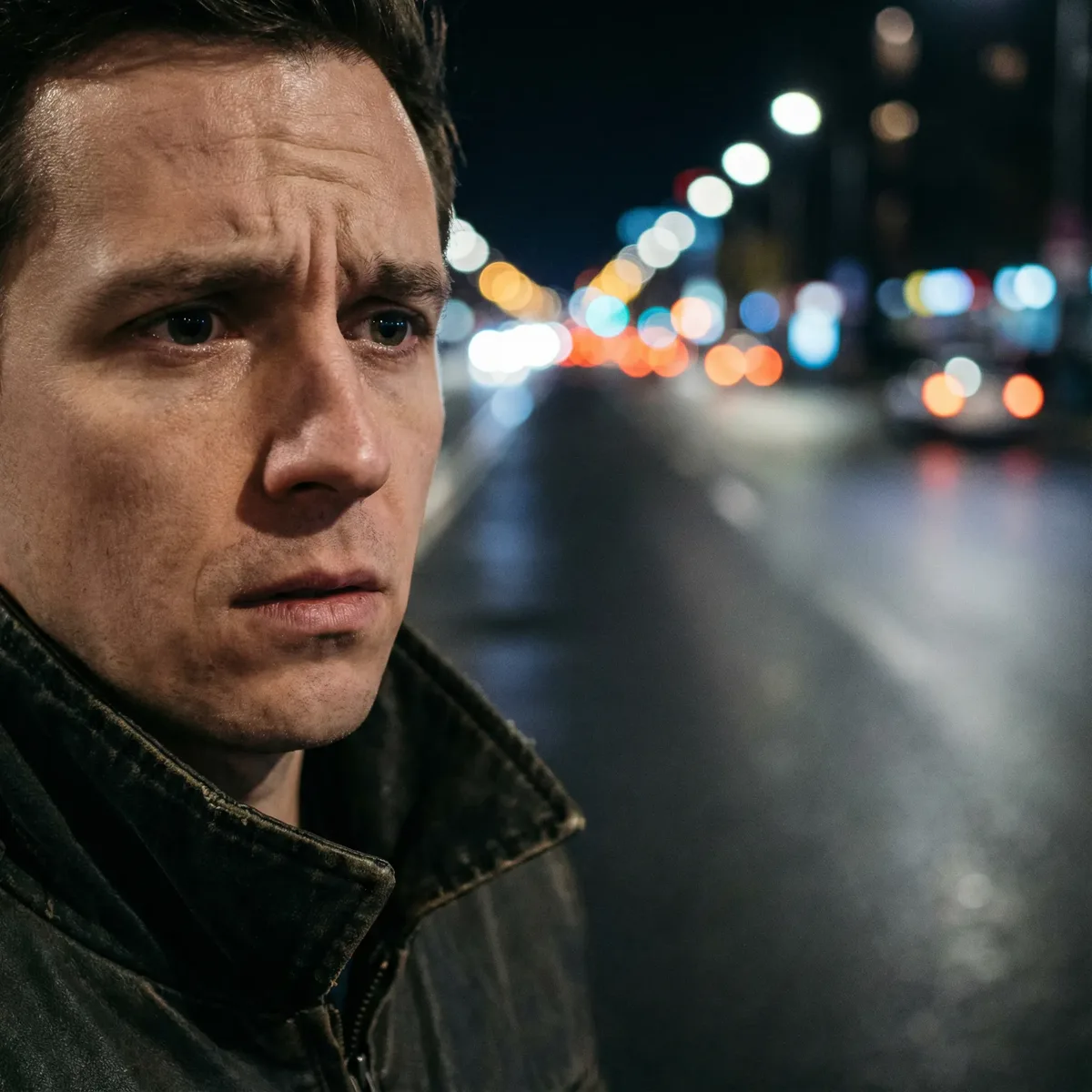
Visual Intent: Focuses on face and expression, often isolating the subject against a blurred background.
Narrative Impact: Emphasizes internal thoughts and reactions to the environment. Standard for portraits and character introduction.
Prompt Example: "Headshot of a worried man staring down an empty road, blurred city lights behind, tense expression"
Upper Body
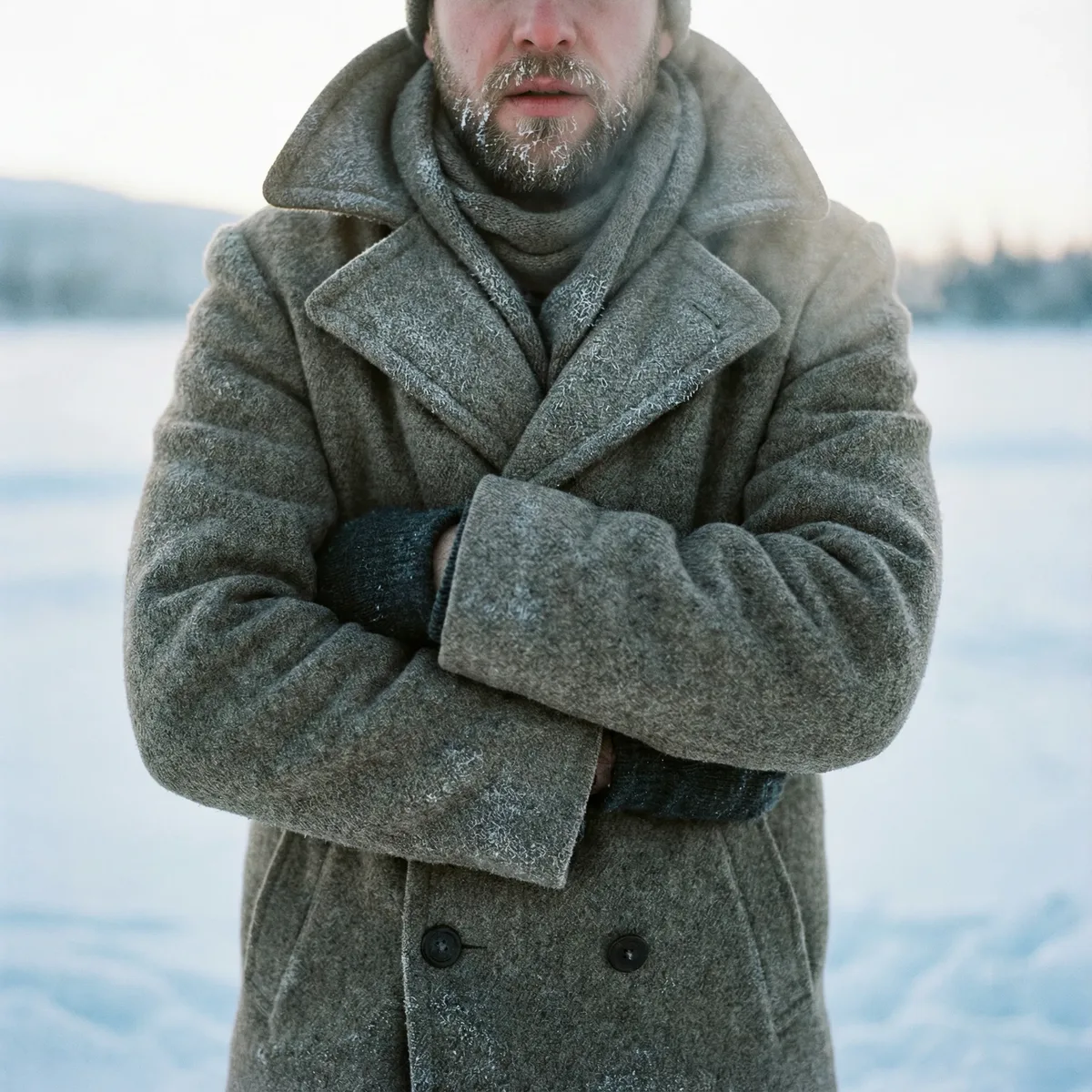
Visual Intent: Frames from chest up, capturing body language like folded arms or hunched shoulders.
Narrative Impact: Shows defensiveness, anticipation, or specific emotional states through posture.
Prompt Example: "Upper body shot of a woman, arms folded tightly against the cold, raincoat collar turned up"
Medium Shot
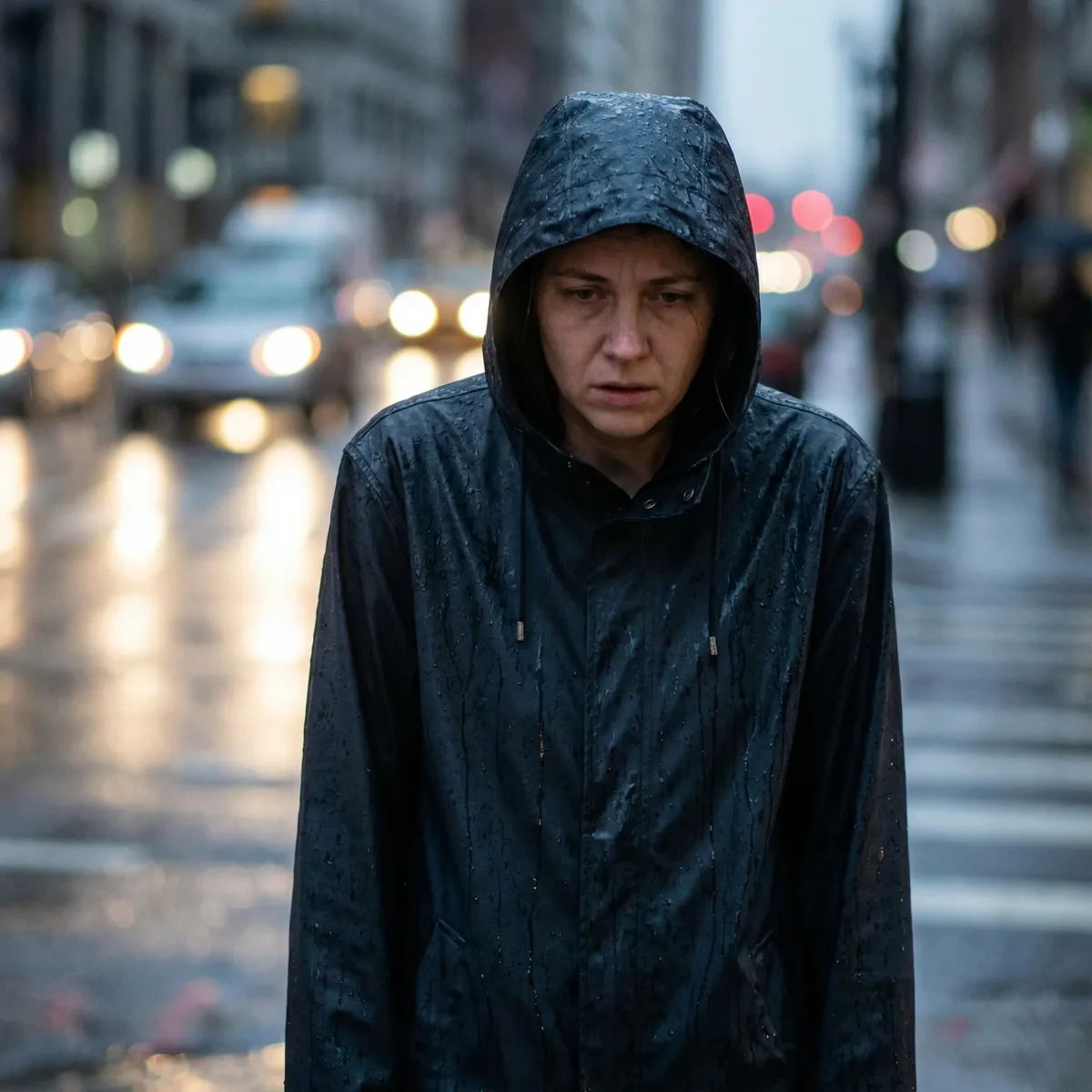
Visual Intent: Waist-up framing that captures the subject's action and posture while retaining environmental context.
Narrative Impact: The workhorse of cinematography—balances subject focus with scene context.
Prompt Example: "Medium shot of a man in a dripping raincoat, slumped shoulders, waiting at a bus shelter"
Cowboy Shot
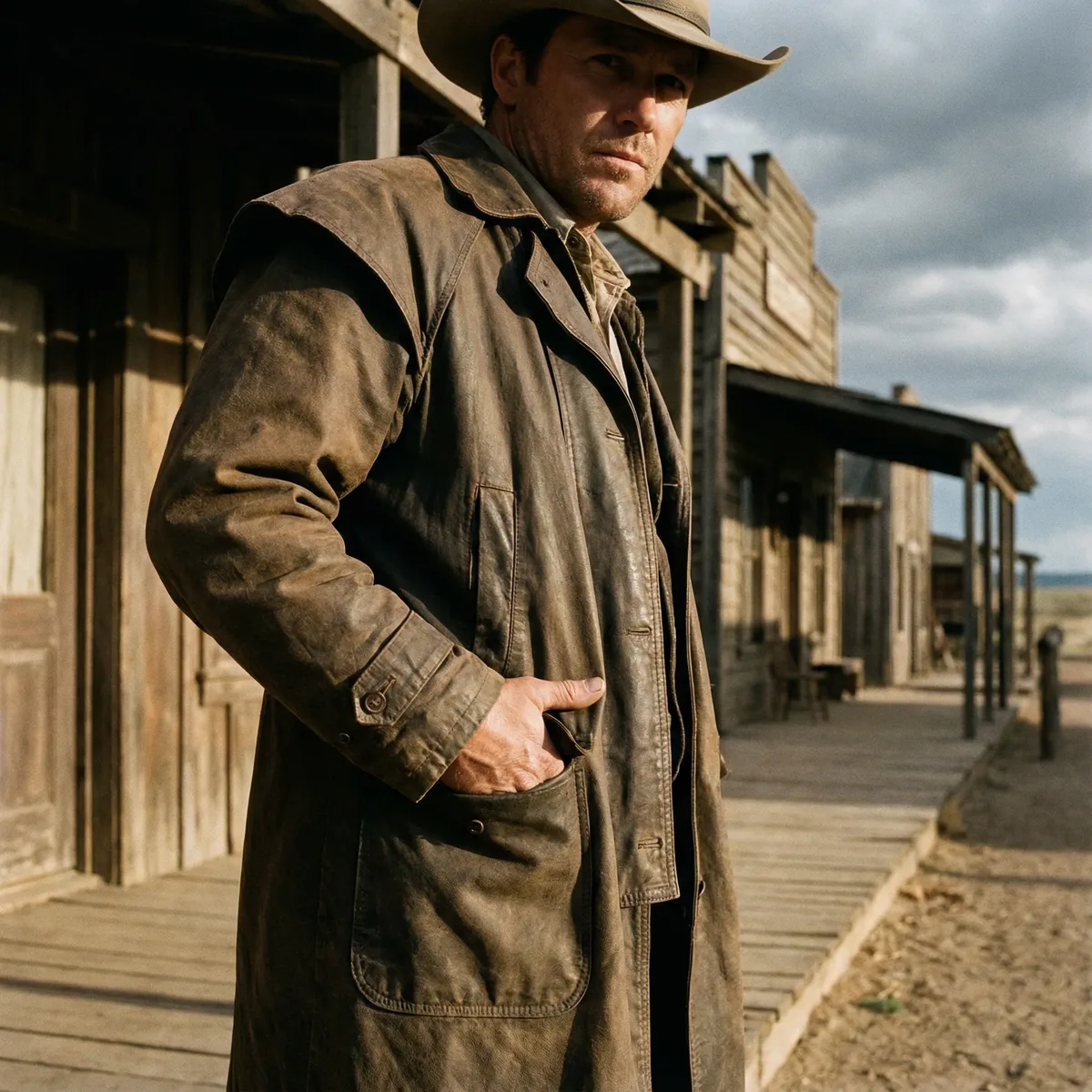
Visual Intent: Frames from mid-thigh up, traditionally showing a gunslinger's holster. Now used to display stance and hand placement.
Narrative Impact: Suggests readiness, tension, or casual confidence. Named for Western film conventions.
Prompt Example: "Cowboy shot of a detective, hand resting casually near coat pocket, rain-slicked street behind"
Three-Quarter Body
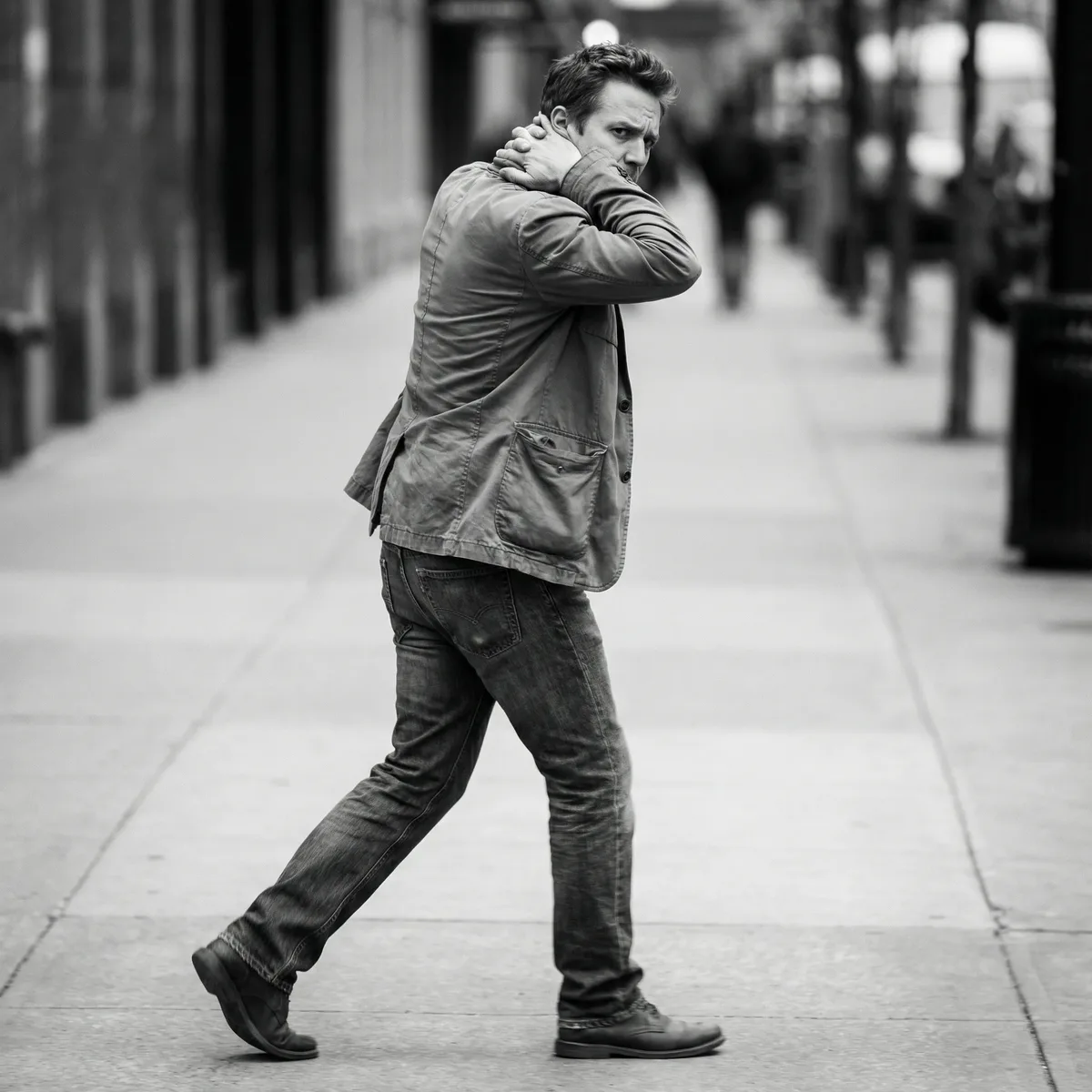
Visual Intent: Captures from knees up, showing movement and the subject's interaction with the immediate environment.
Narrative Impact: Useful for action moments—stepping out, turning, nervous pacing.
Prompt Example: "Three-quarter body shot of a woman stepping out from a shelter, anxious energy, rainy street"
Entire Body
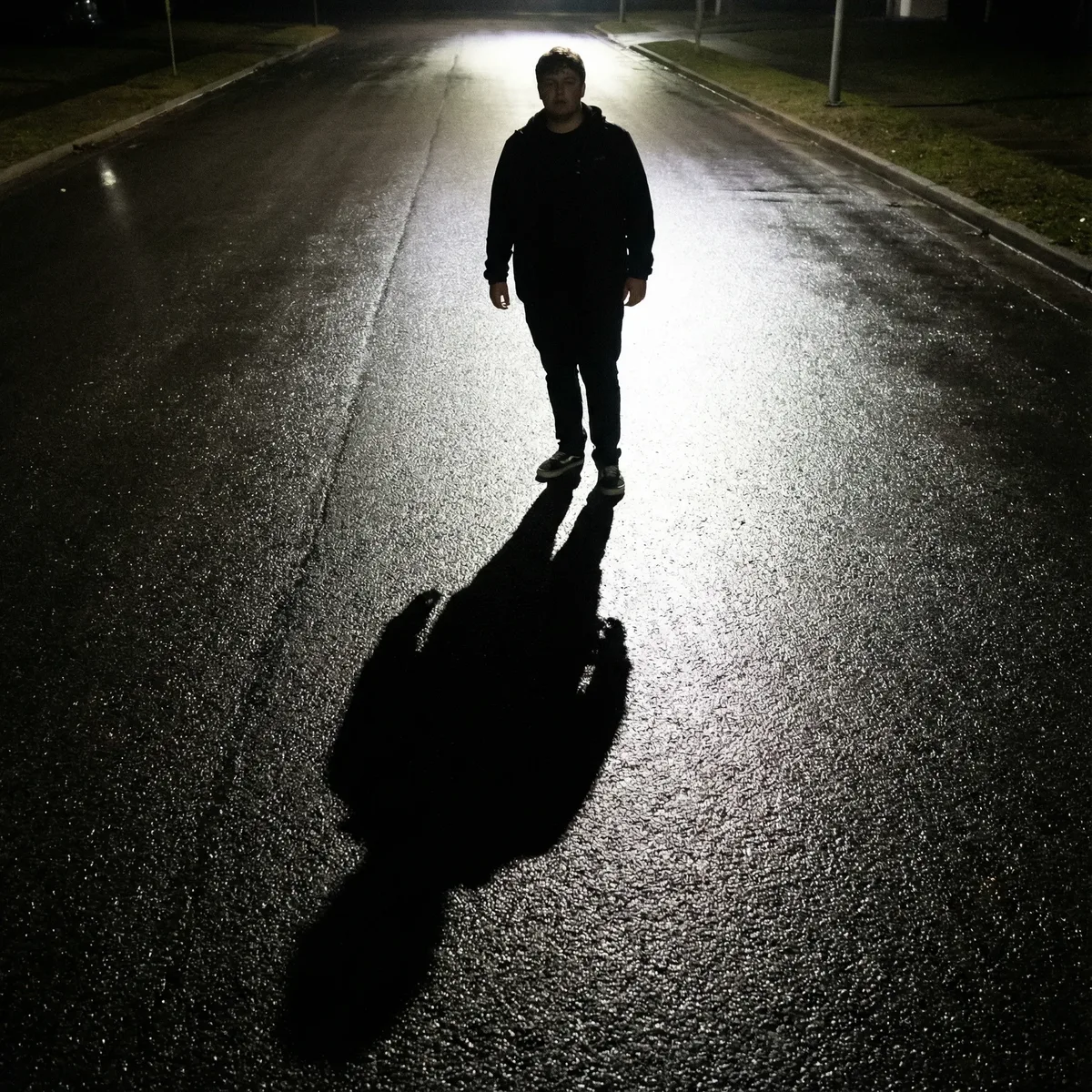
Visual Intent: Captures the full figure from head to toe, often showing the subject's relationship to the ground—shadows, puddles, footprints.
Narrative Impact: Emphasizes isolation, vulnerability, or the subject's complete physical presence.
Prompt Example: "Entire body shot of a lone figure standing in a pool of streetlight, shadow stretching across wet pavement"
Wide Shot
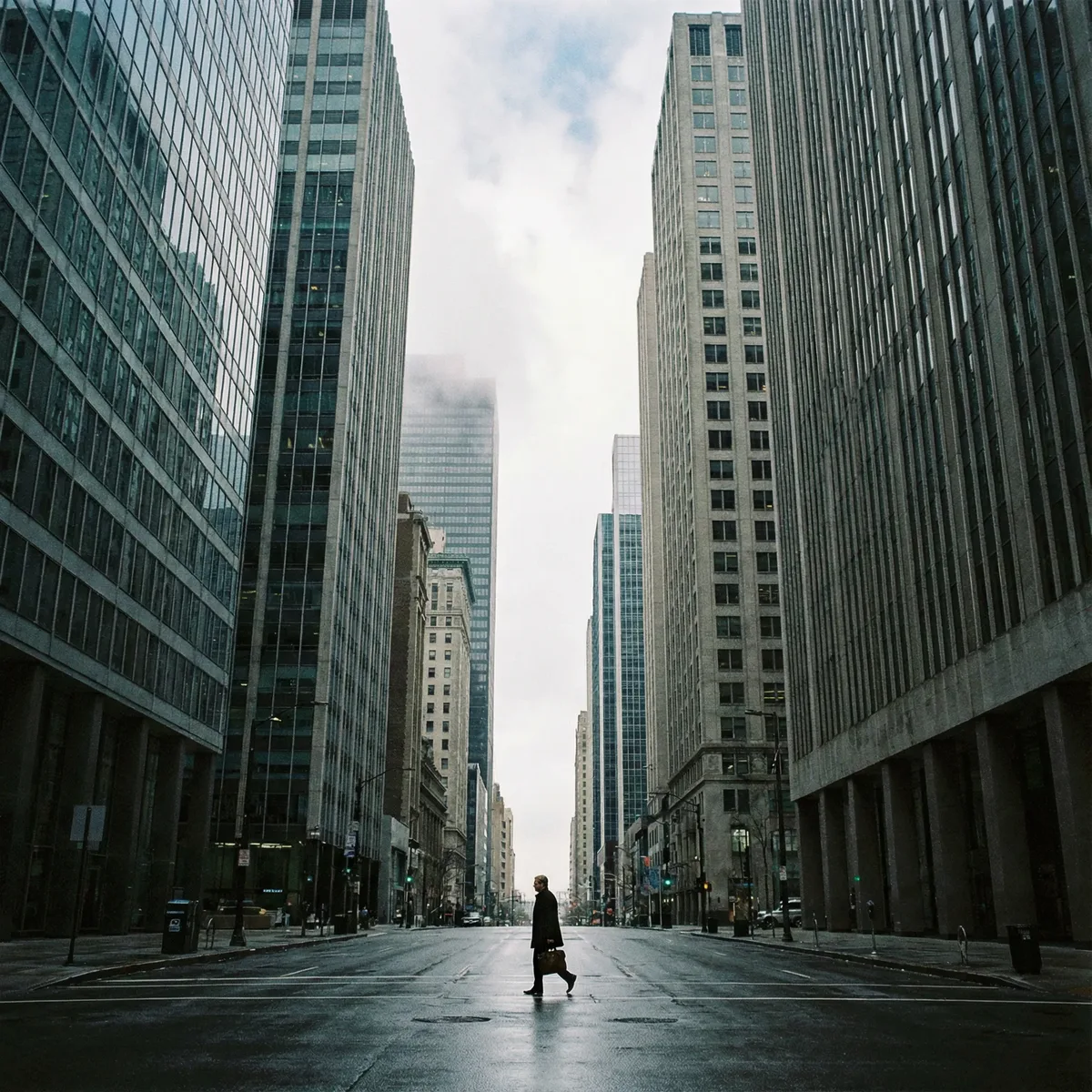
Visual Intent: Captures the subject within a larger environmental context—a small figure against towering buildings or vast landscapes.
Narrative Impact: Emphasizes the relationship between subject and environment. Often creates feelings of loneliness, insignificance, or awe.
Prompt Example: "Wide shot of a lone woman at a bus stop, tall buildings looming overhead, rain falling"
Establishing Shot
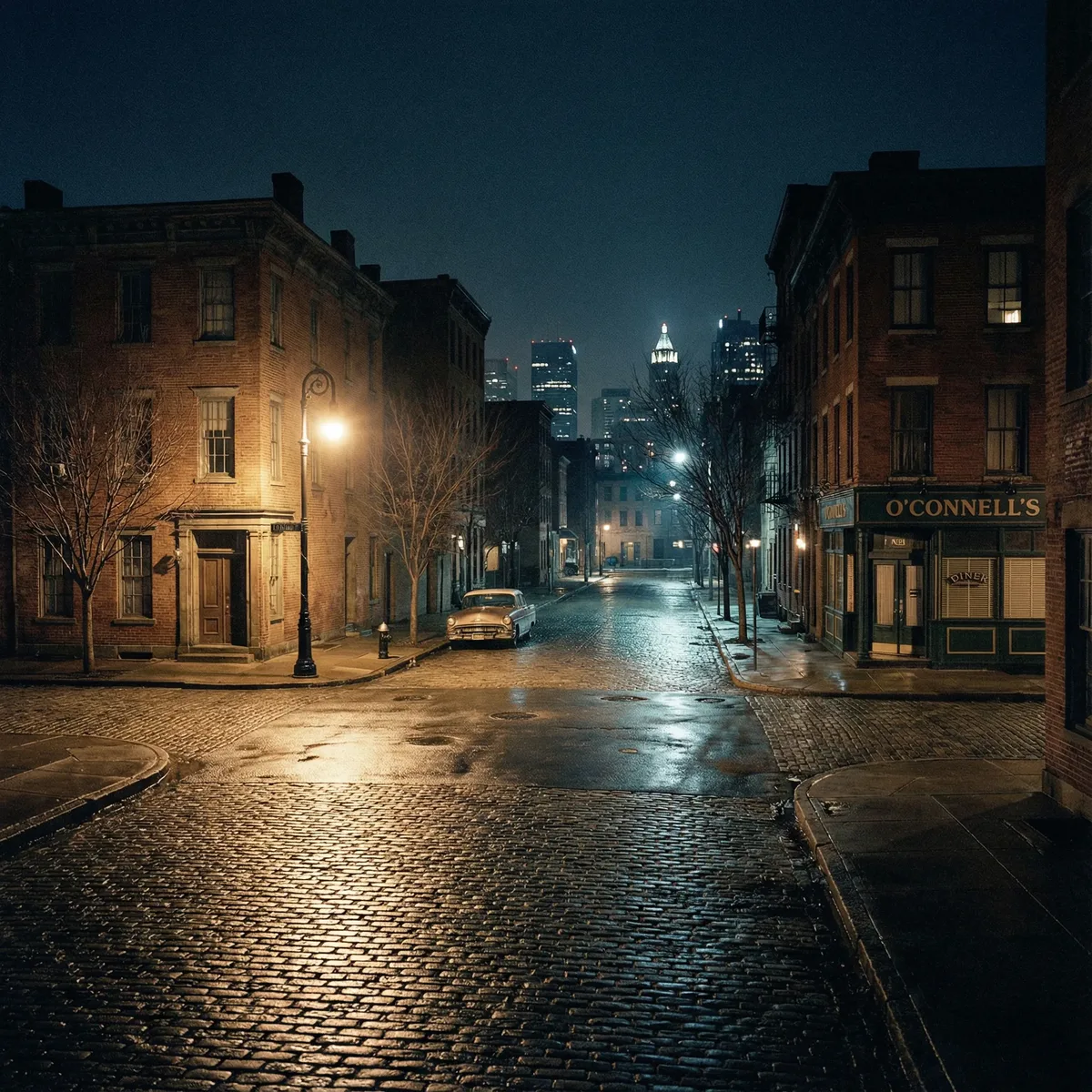
Visual Intent: A very wide view designed to set the scene—the subject is barely visible or absent entirely.
Narrative Impact: Provides spatial context and atmosphere before the narrative moves closer. Essential for scene transitions.
Prompt Example: "Establishing shot of a quiet intersection at night, single streetlamp illuminating an empty bus shelter"
Category 2: Angle & Perspective (7 Shots)
These shots define the camera's vertical position and orientation relative to the subject.
Bird's-Eye View
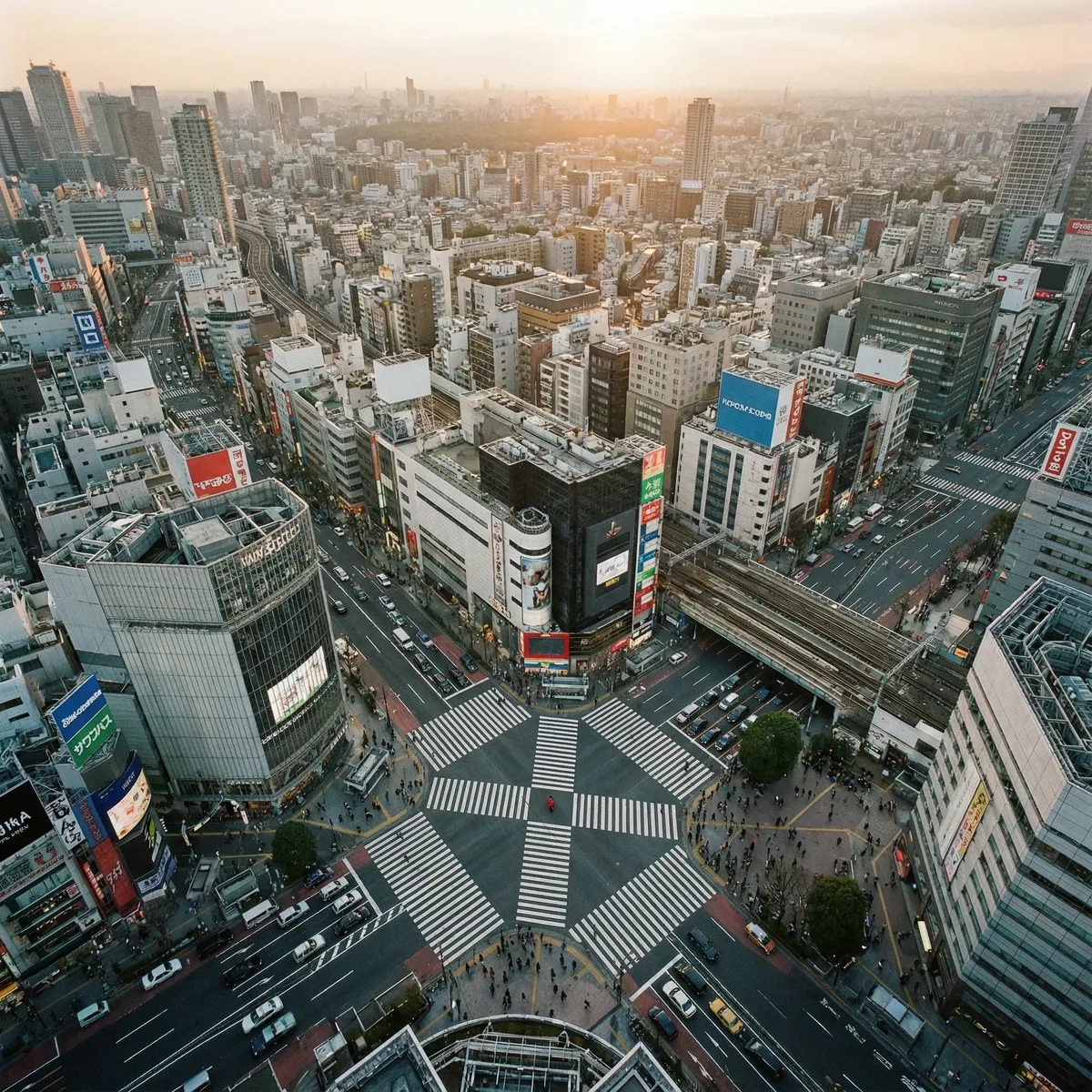
Visual Intent: Looks down from a significant height—the subject appears as a small figure against a vast landscape or urban geometry.
Narrative Impact: Emphasizes insignificance, fate, or the overwhelming scale of the environment.
Prompt Example: "Bird's-eye view of Shibuya crossing at sunset, tiny figures crossing the intersection"
Overhead Shot
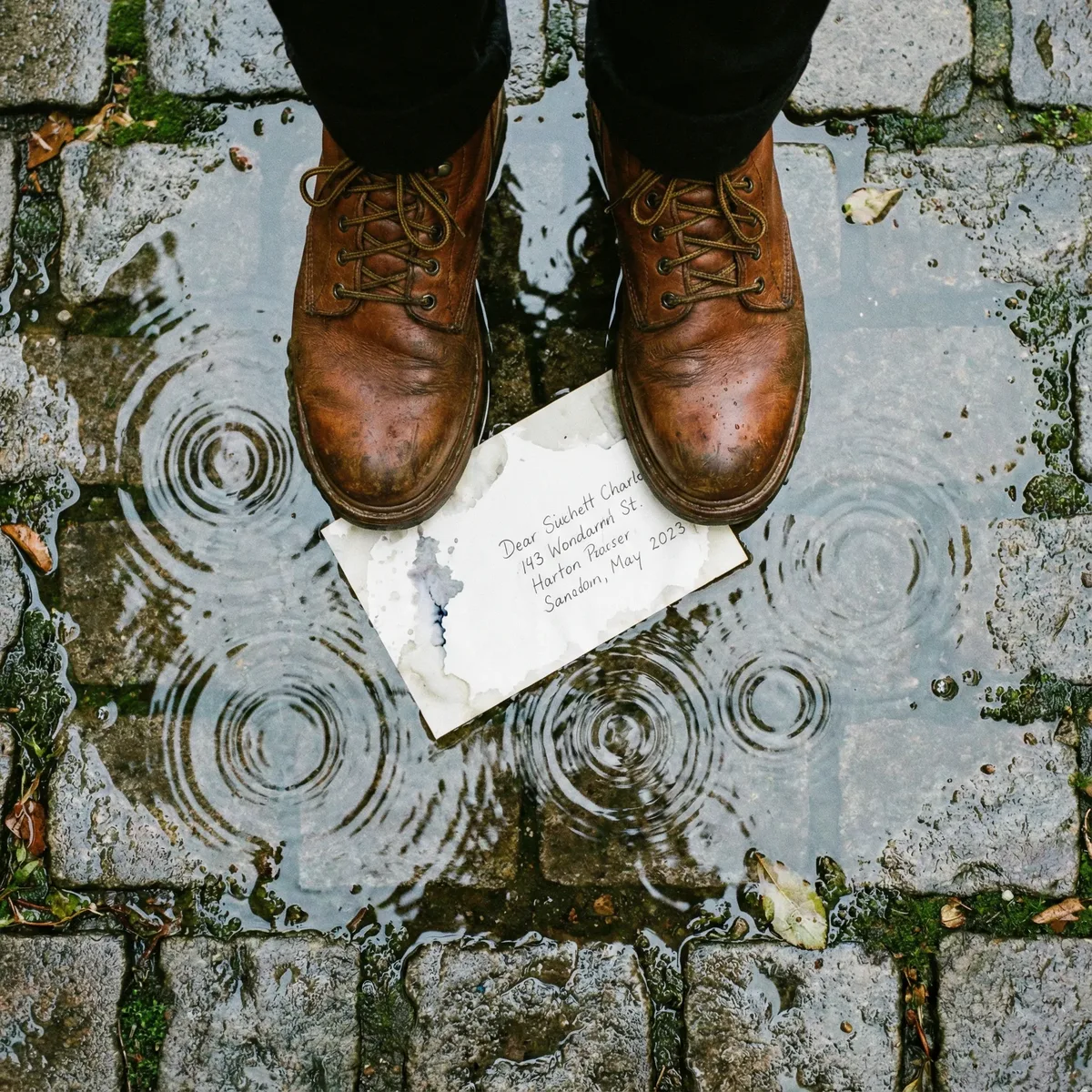
Visual Intent: Looks straight down on the subject like a map view, highlighting geometry and environmental textures.
Narrative Impact: Creates visual patterns, emphasizes spatial relationships, and provides god-like perspective.
Prompt Example: "Overhead shot of boots standing in a puddle, concentric ripples of rain expanding outward"
High Angle
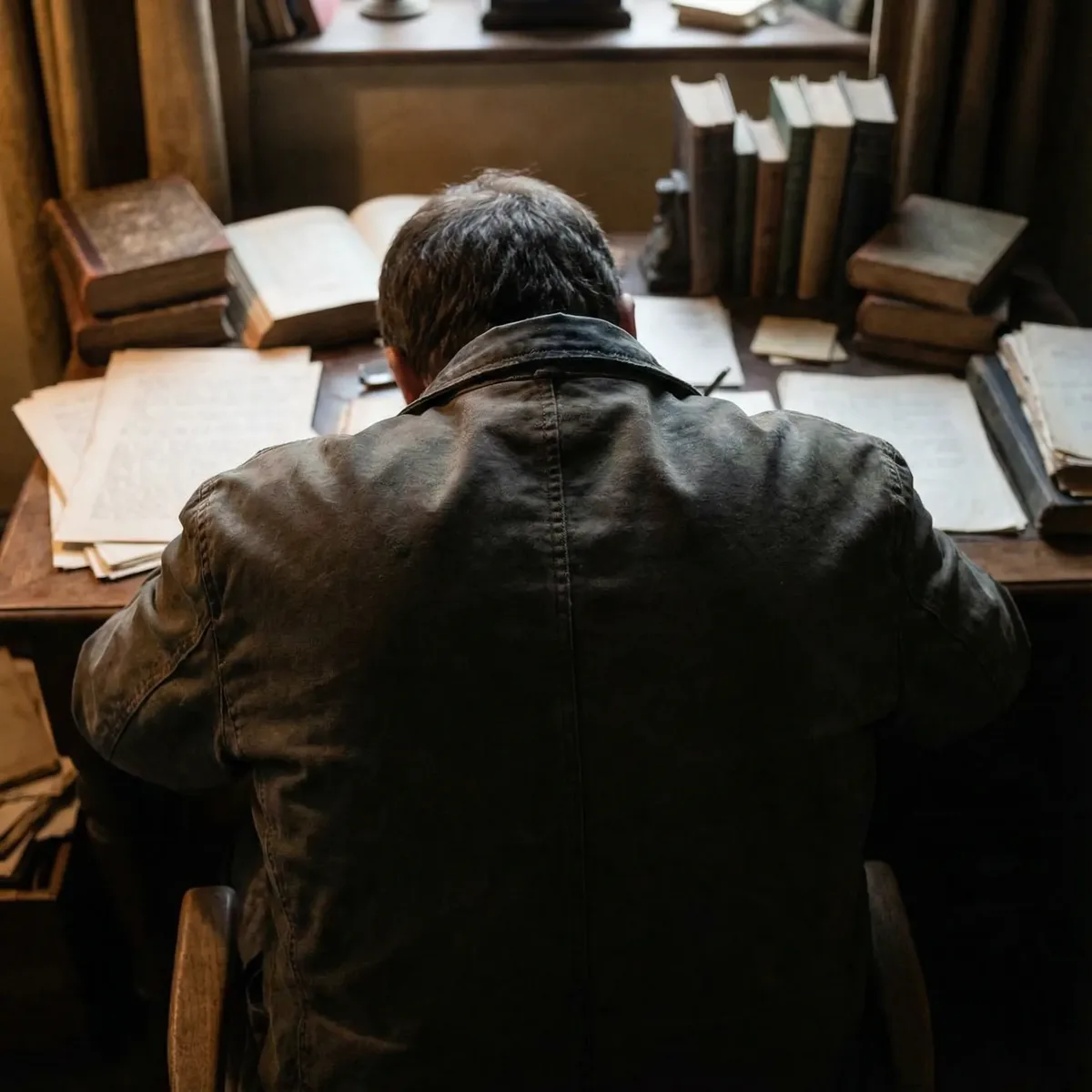
Visual Intent: Shoots from above and behind the subject, diminishing their stature.
Narrative Impact: Makes subjects appear vulnerable, weak, or overwhelmed. Often used for victims or characters in distress.
Prompt Example: "High angle shot from above and behind, emphasizing hunched shoulders, rain falling on umbrella"
Low Angle
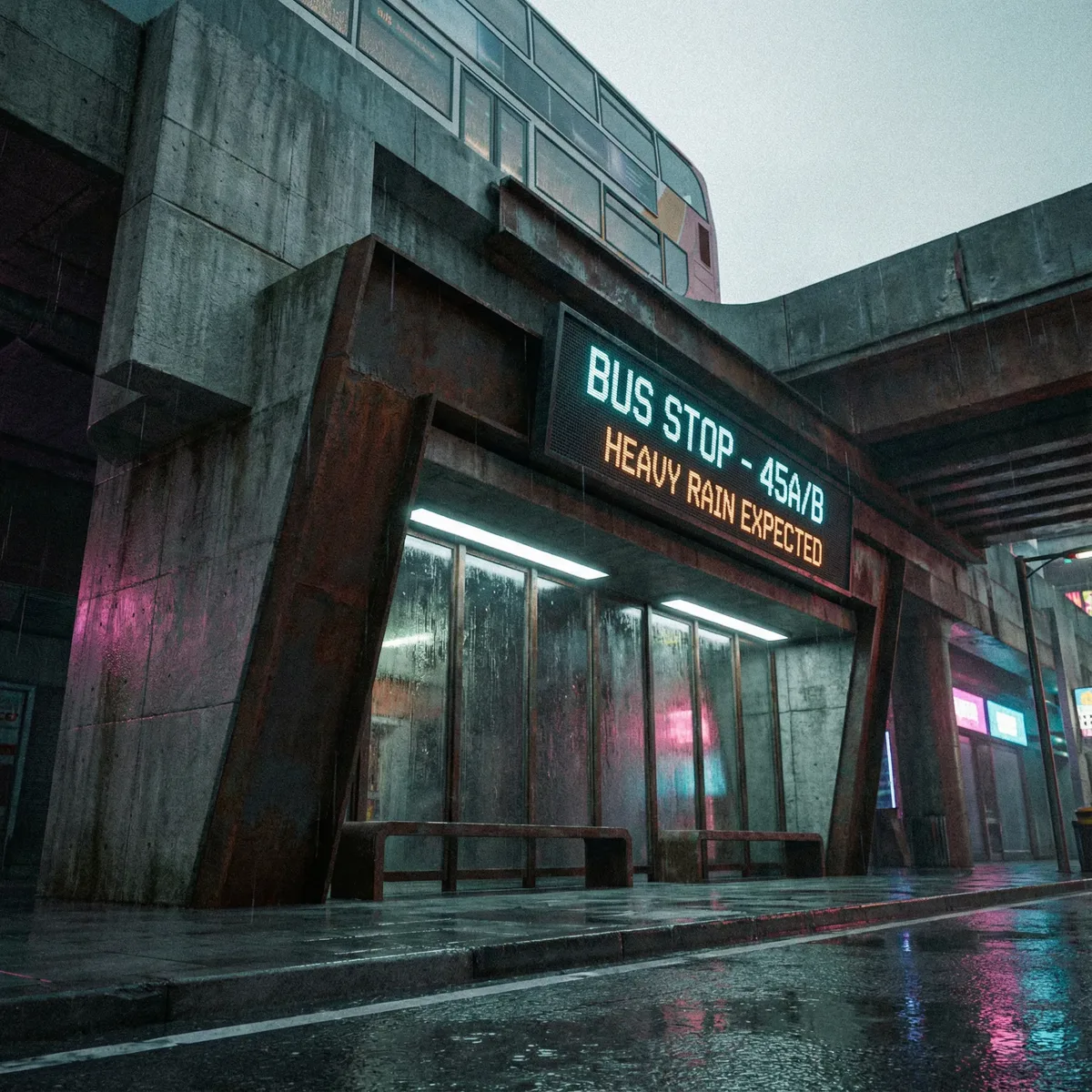
Visual Intent: Shoots from near the ground looking up, making subjects or structures appear larger and more imposing.
Narrative Impact: Conveys power, dominance, or intimidation. Makes environments feel oppressive.
Prompt Example: "Low angle shot looking up at a tall bus shelter, figure silhouetted against stormy sky"
Worm's-Eye View
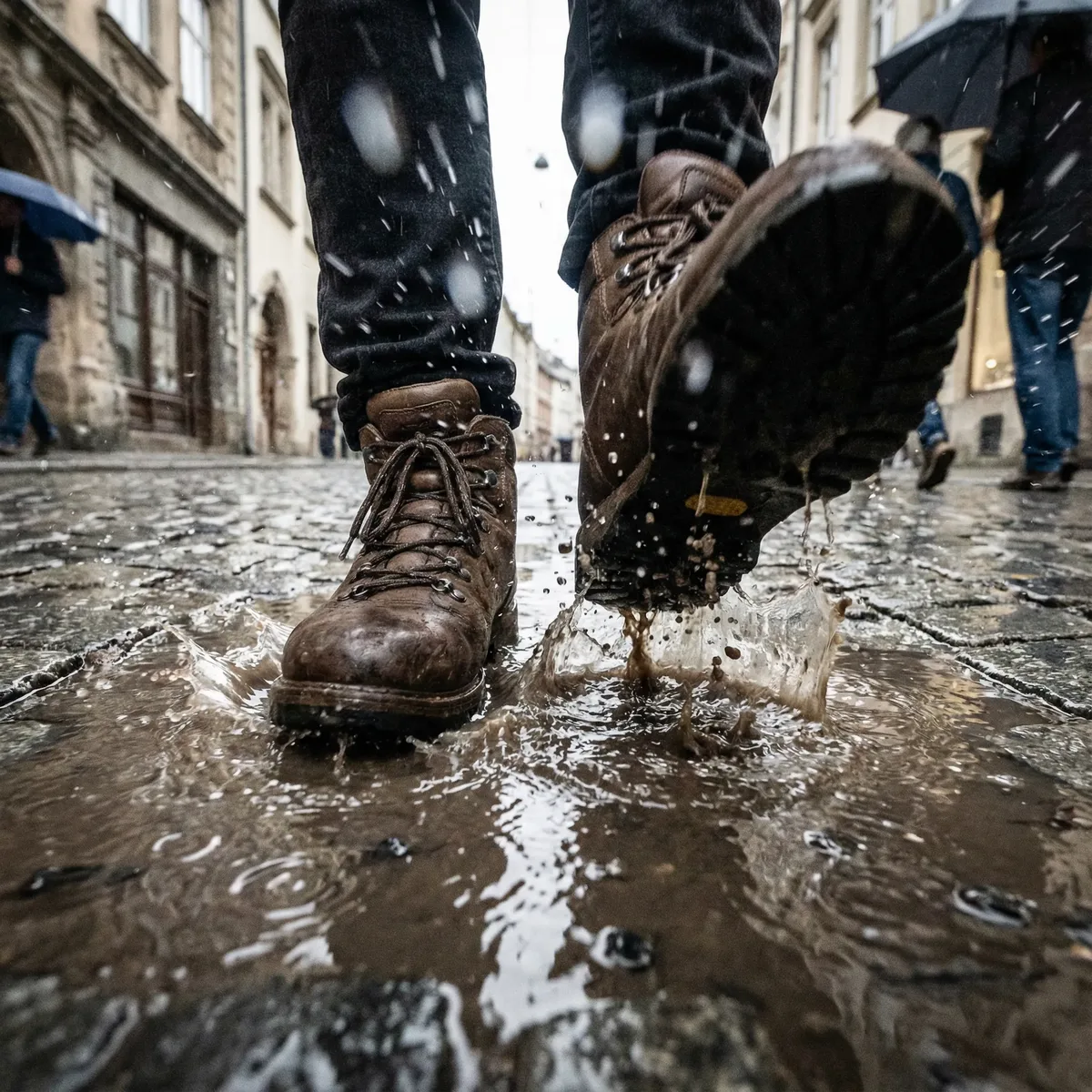
Visual Intent: Ground-level perspective capturing details like boots, puddles, and ground texture, often with rain or debris hitting the "lens."
Narrative Impact: Extreme immersion, vulnerability, and tactile connection to the environment.
Prompt Example: "Worm's-eye view of boots stepping into a puddle, rain splashing, cobblestone street, raindrops on lens"
Dutch Angle
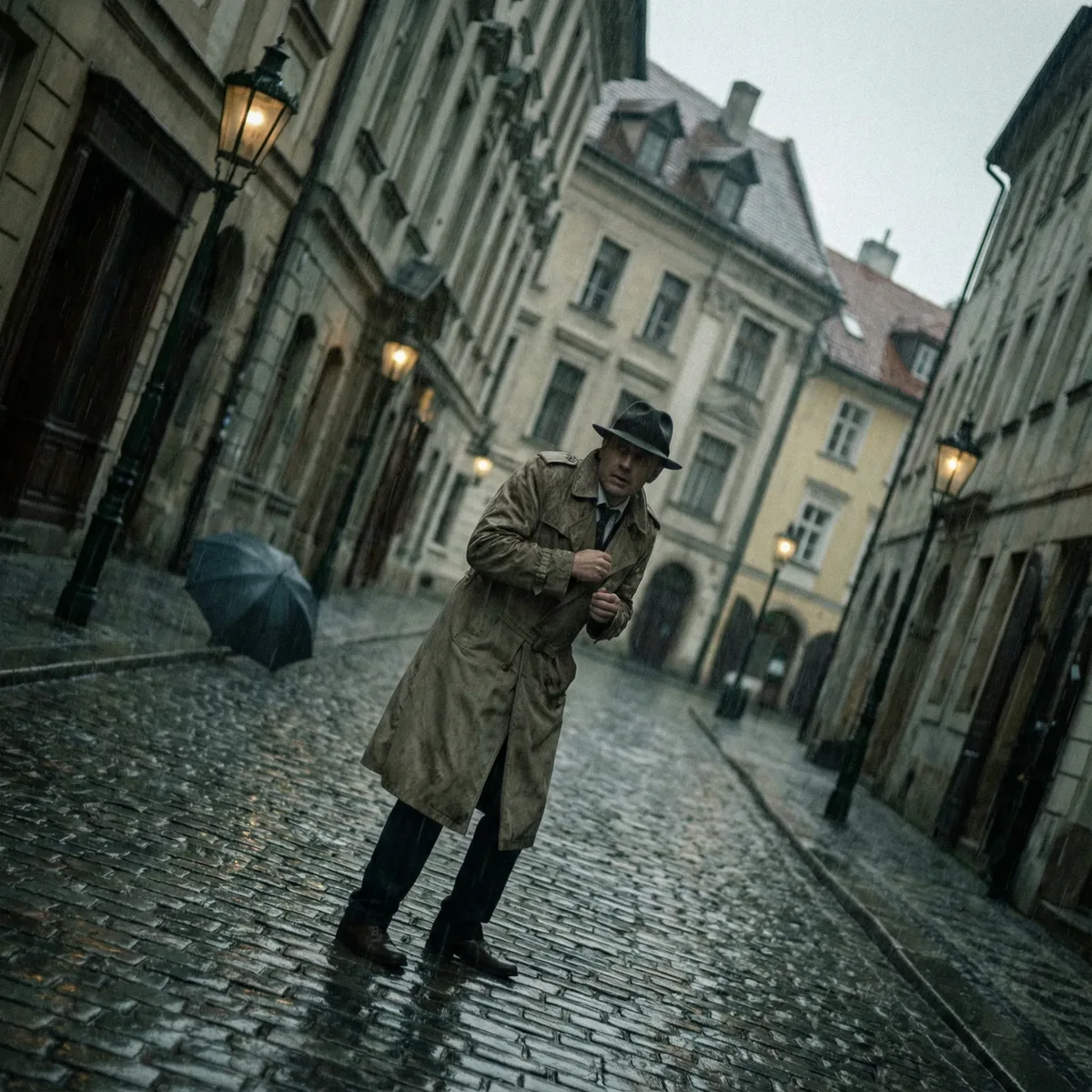
Visual Intent: Deliberately tilts the camera horizon, creating visual imbalance.
Narrative Impact: Psychological tension, unease, disorientation. Common in thriller and horror genres.
Prompt Example: "Dutch angle of a man in a trench coat on a rainy cobblestone street, tilted frame, noir atmosphere"
POV (Point of View)
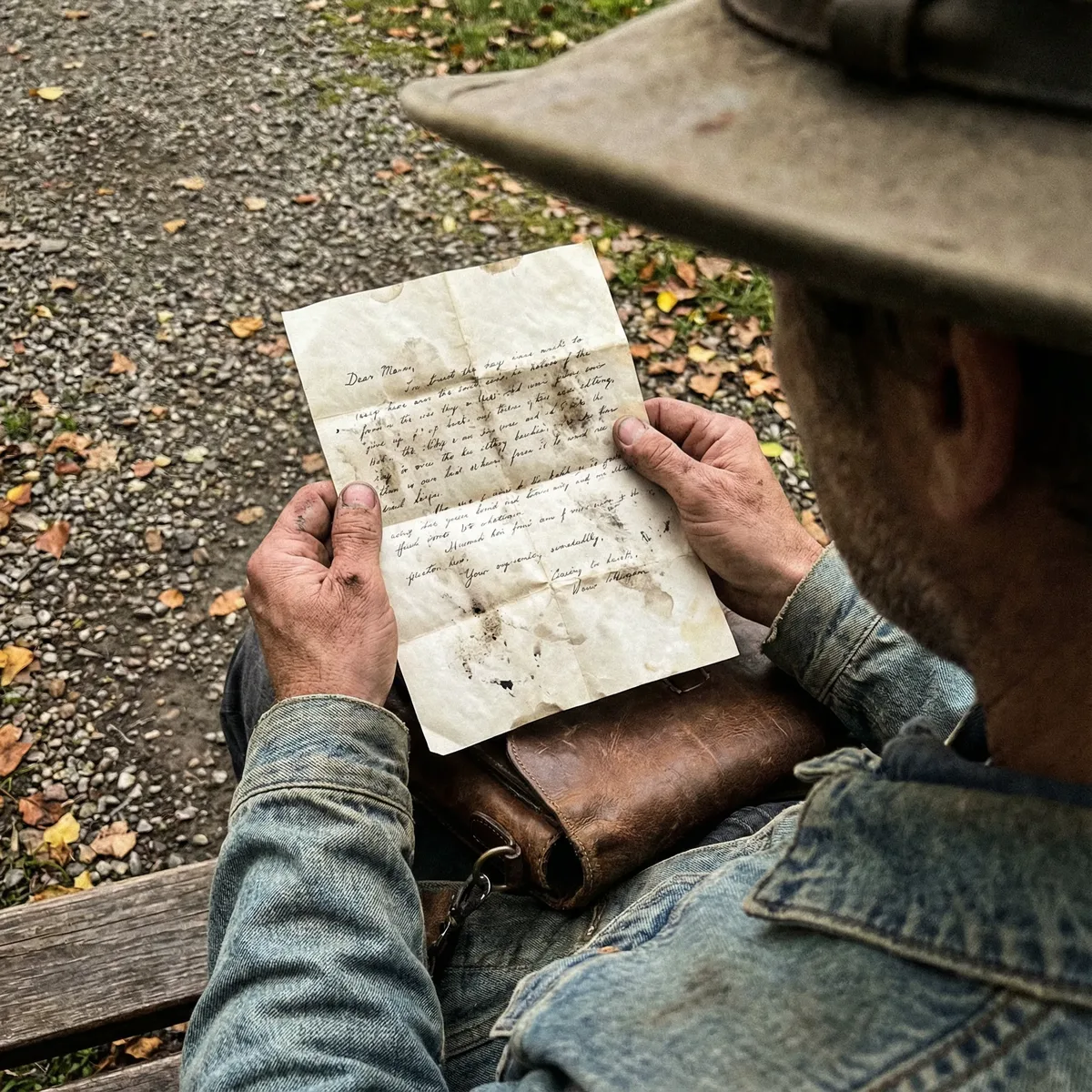
Visual Intent: Places the camera in the position of the subject's eyes—we see exactly what they see.
Narrative Impact: Maximum immersion and identification with the character. The viewer becomes the subject.
Prompt Example: "POV shot looking down at weathered hands holding a stained letter, sitting on a bench"
Category 3: Narrative & Relational Shots (7 Shots)
These shots define relationships between subjects or between subject and narrative elements.
Over the Shoulder
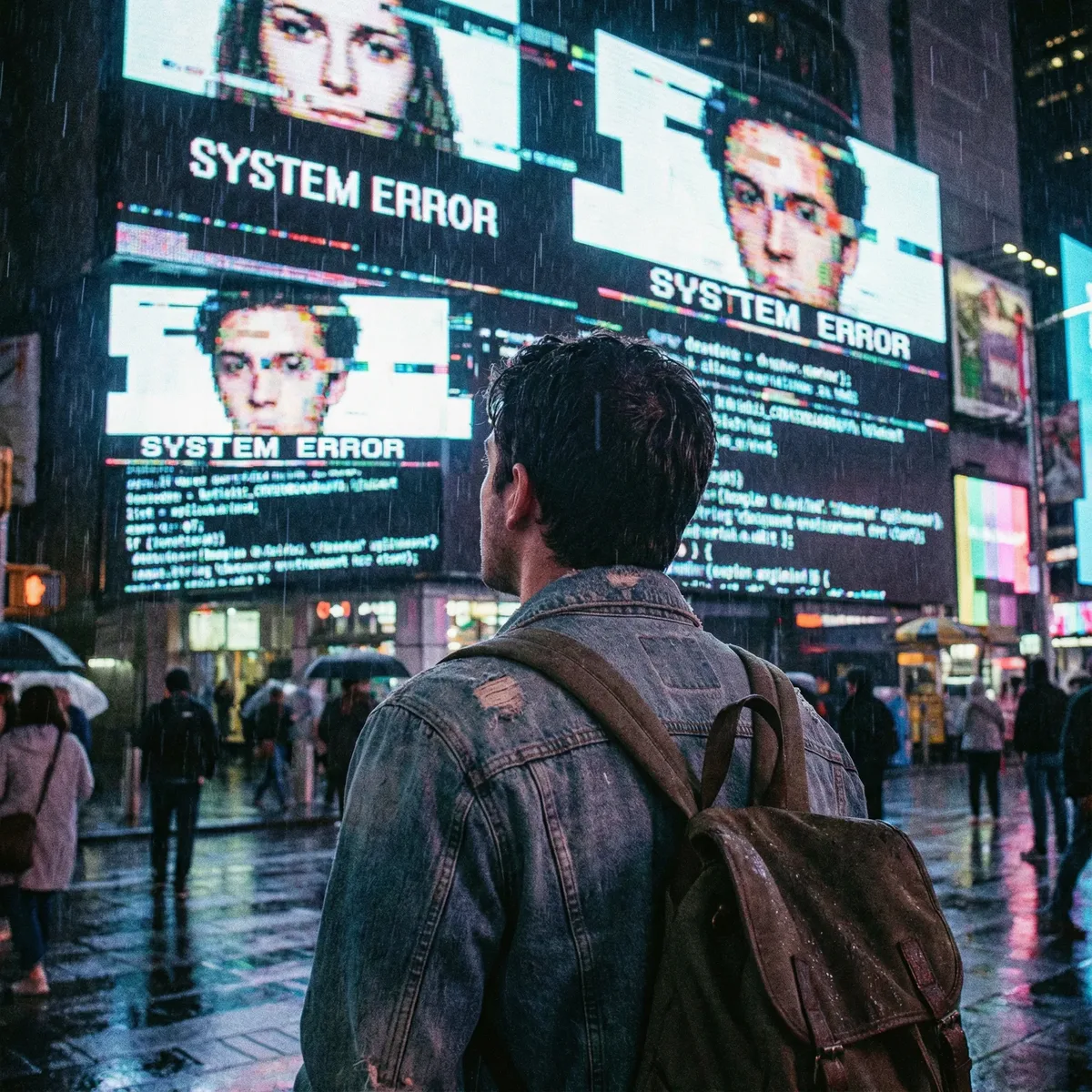
Visual Intent: Shoots from behind the subject, including their shoulder, while focusing on what they're looking at.
Narrative Impact: Establishes the subject's physical relationship to objects or other characters. Common in dialogue scenes.
Prompt Example: "Over the shoulder shot of a man staring at a glitching digital bus sign, rain on his coat"
Reverse Shot
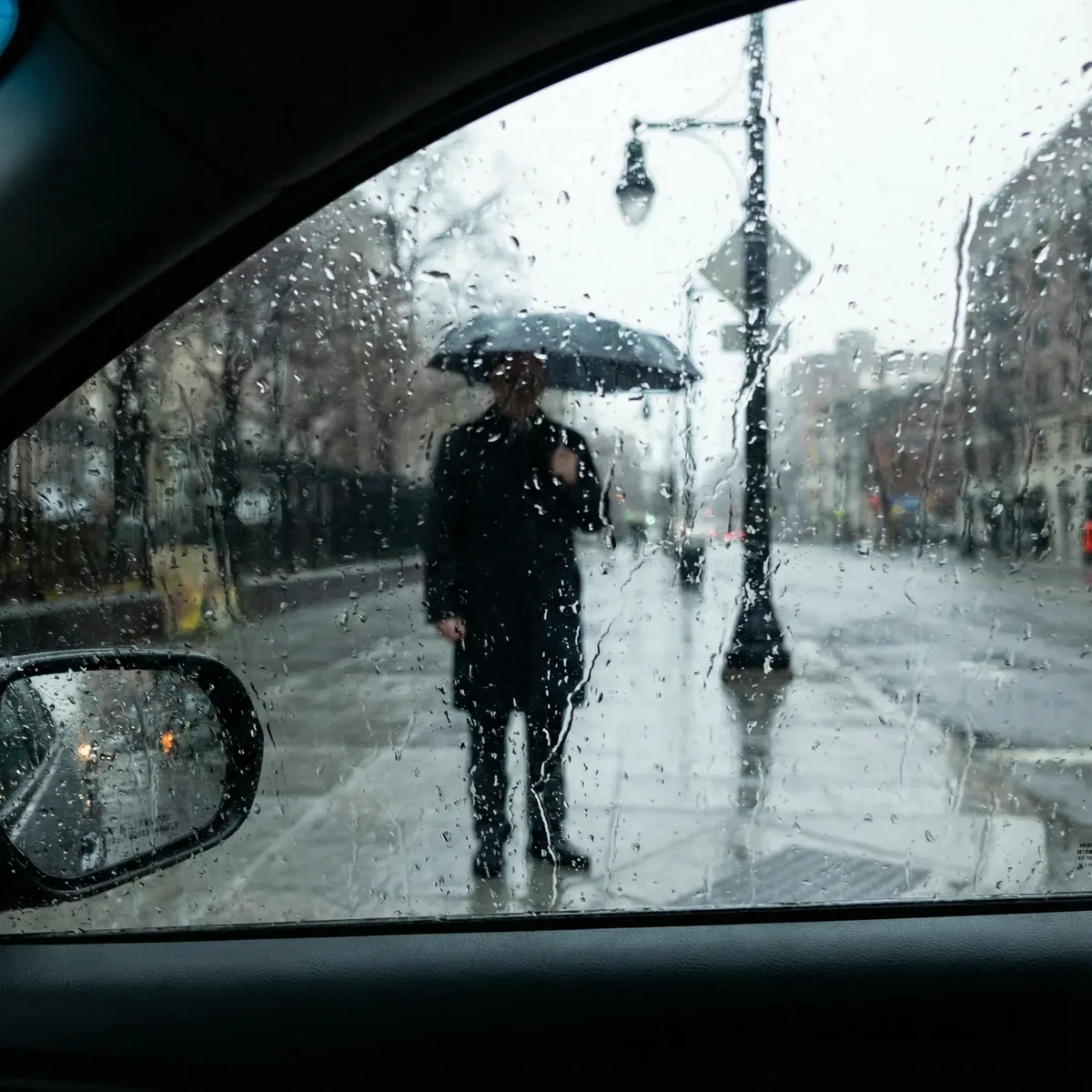
Visual Intent: Captures the view looking back at the subject from an opposing viewpoint—often through a window or from another character's position.
Narrative Impact: Shows how the subject is perceived by others or by the world around them.
Prompt Example: "Reverse shot through a rain-streaked bus window, looking out at a lone figure waiting in the rain"
Reaction Shot
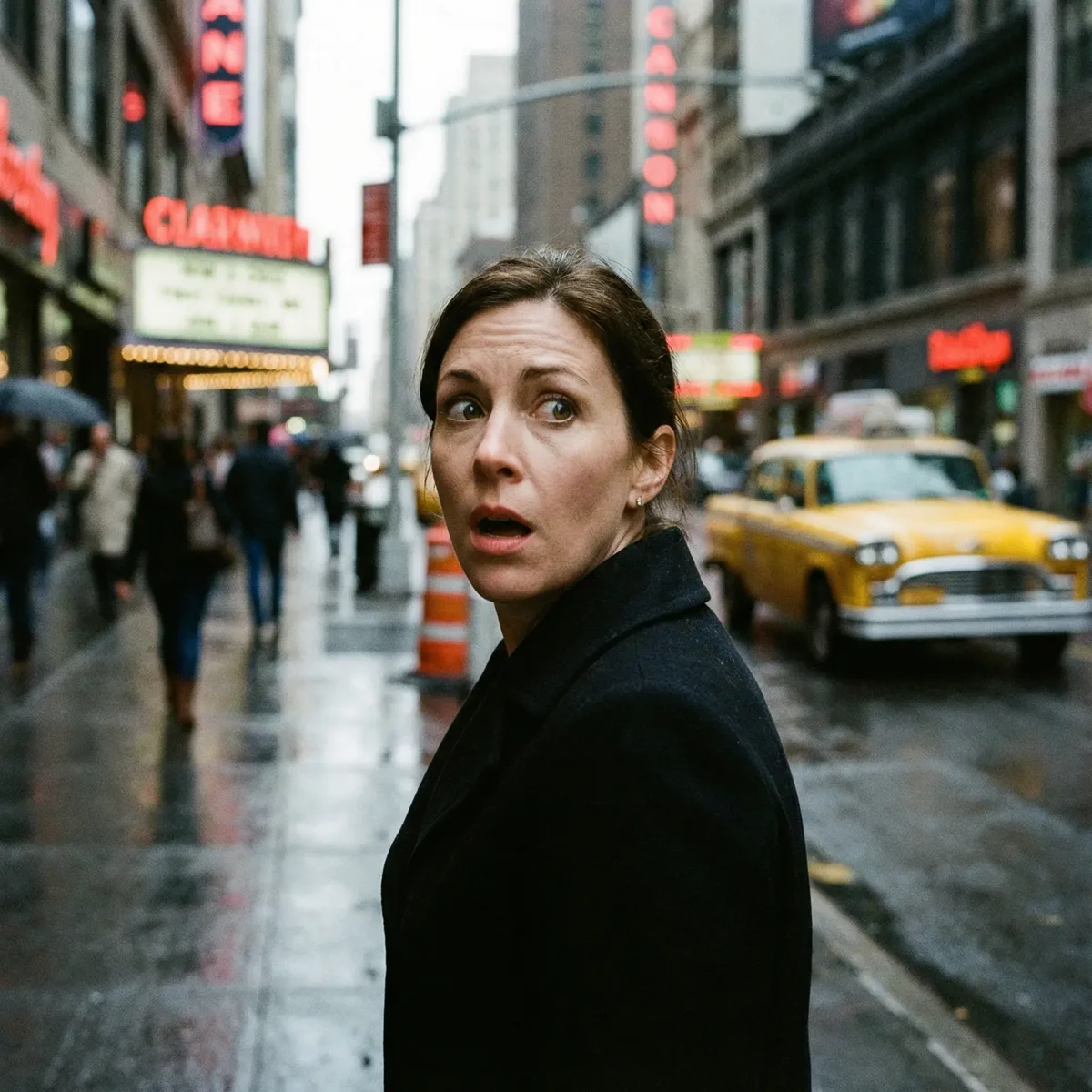
Visual Intent: Focuses on the subject responding to an event happening off-frame.
Narrative Impact: Drives narrative by showing emotional consequences of unseen actions. Creates tension and anticipation.
Prompt Example: "Reaction shot of a woman turning sharply, wide eyes, looking at something off-frame, dramatic lighting"
Two-Shot
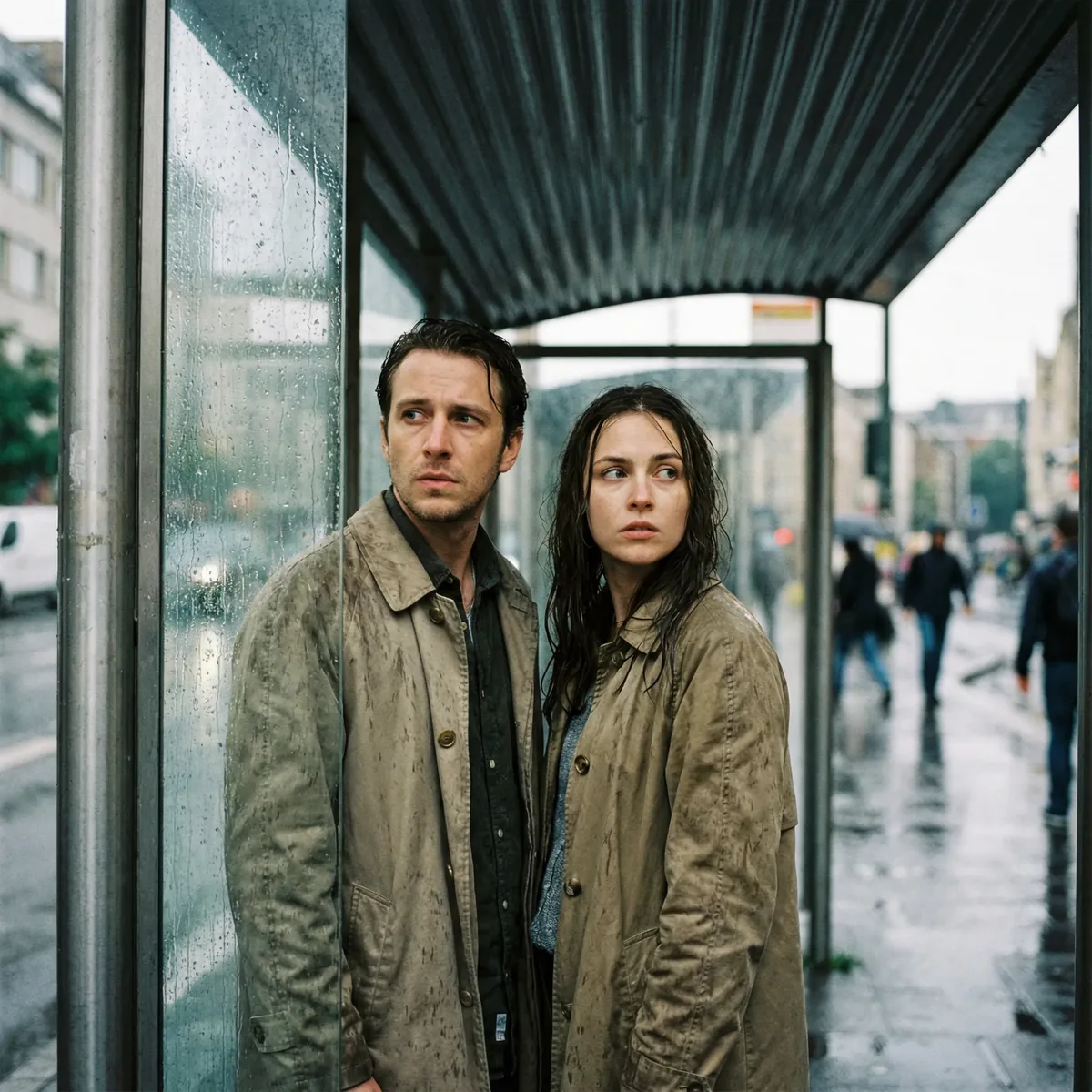
Visual Intent: Frames two characters together in the same shot.
Narrative Impact: Establishes relationships, tension, or intimacy between characters. Body language becomes crucial.
Prompt Example: "Two-shot of a man and woman at a bus shelter, guarded expressions, rain-streaked glass behind them"
Group Shot
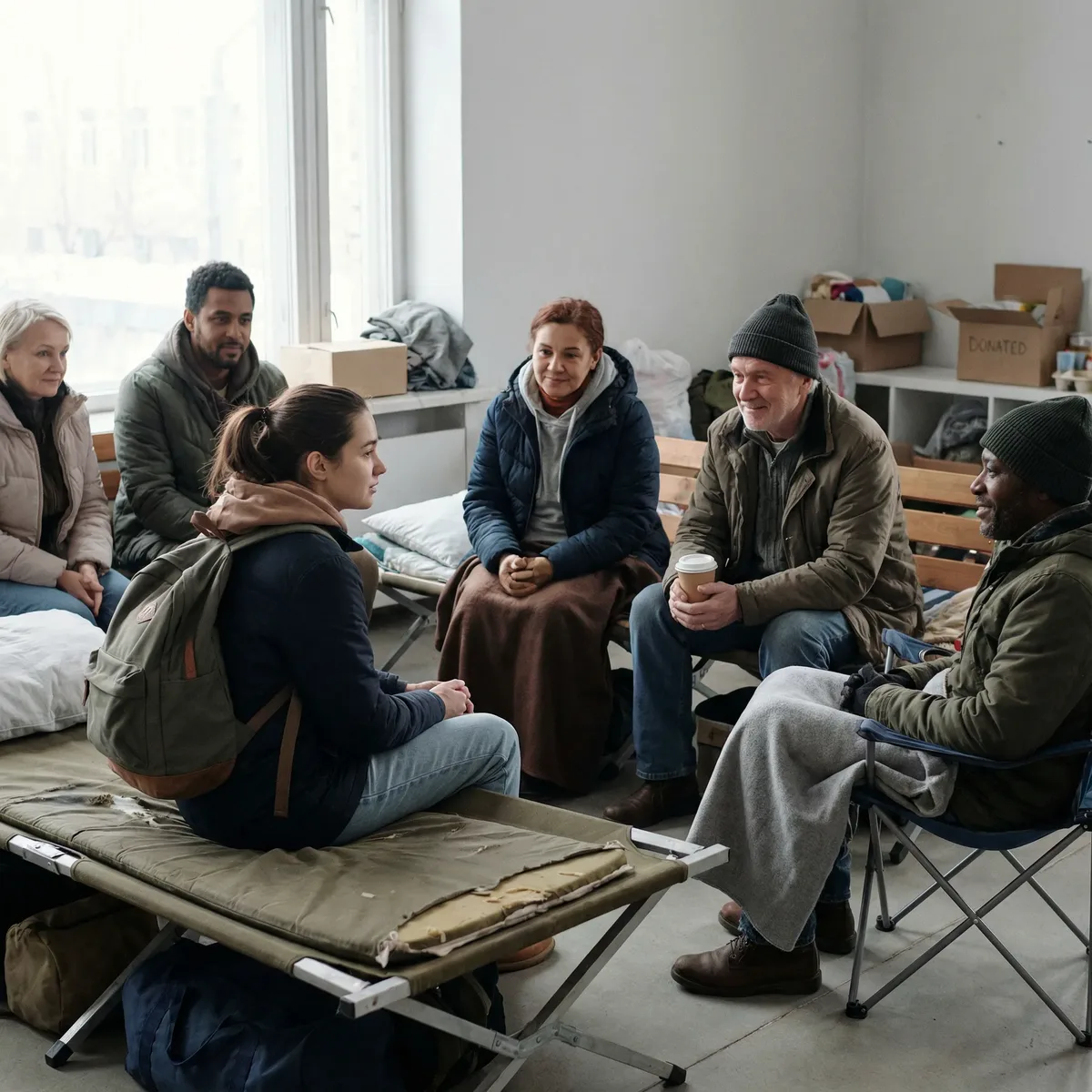
Visual Intent: Frames three or more subjects, showing social dynamics.
Narrative Impact: Displays relationships between a protagonist and surrounding crowd—isolation, scrutiny, belonging.
Prompt Example: "Group shot inside a bus shelter, woman standing while seated strangers watch with quiet curiosity"
Insert Shot (Cutaway)

Visual Intent: Cuts away to a specific detail or object—a hand action, a falling object, a crucial prop.
Narrative Impact: Emphasizes plot points or symbolic actions that would be missed in wider shots.
Prompt Example: "Insert shot of a folded letter slipping from fingers into a dirty puddle, dramatic close-up"
Cutaway Shot
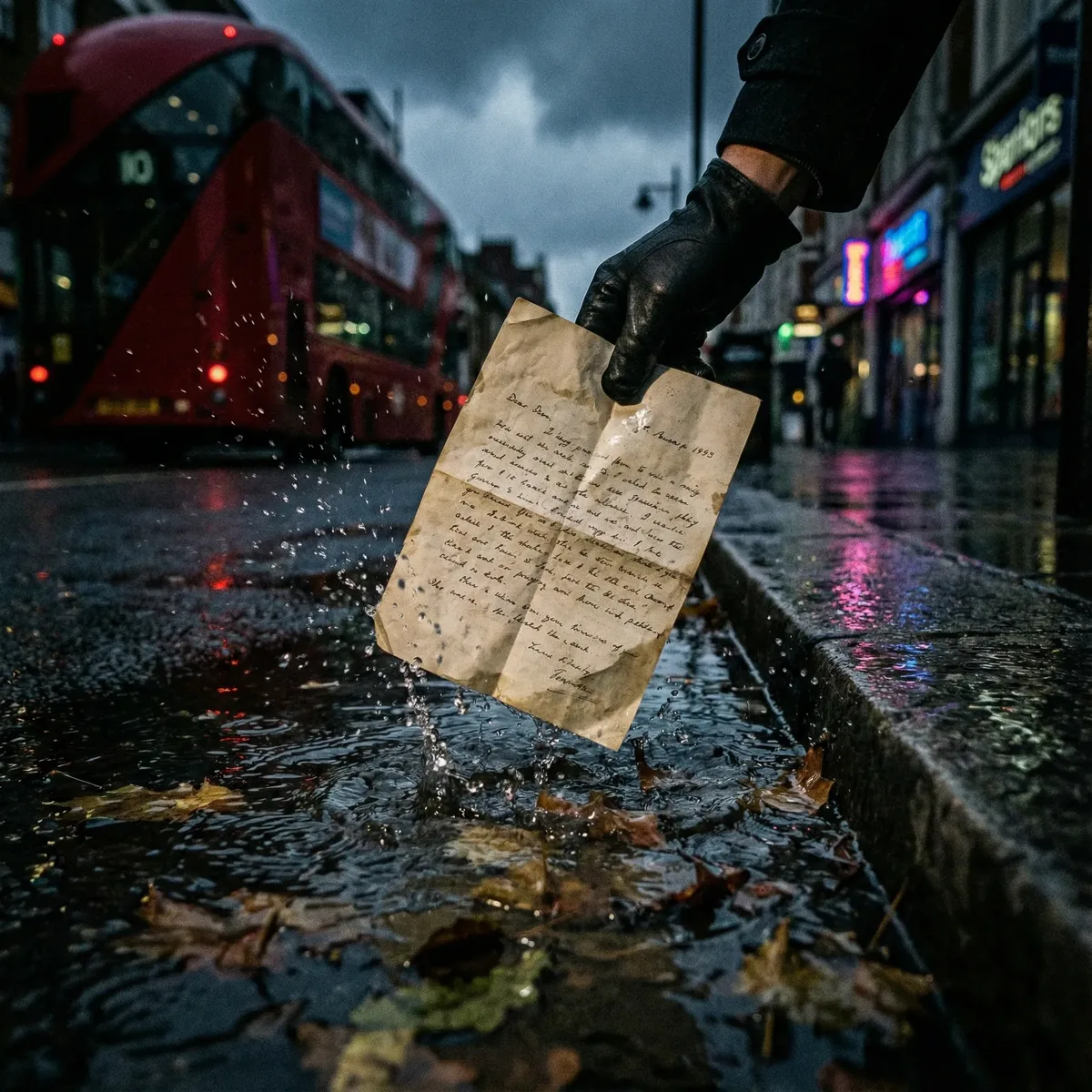
Visual Intent: Synonymous with Insert Shot in cinematography—a shot that "cuts away" from the main action to show a relevant detail.
Narrative Impact: Provides visual punctuation, reveals information, or creates transitions.
Prompt Example: "Cutaway shot of a crumpled bus ticket falling to wet pavement, shallow depth of field"
💰 Using Shot Types with Nano Banana Pro
Now that you understand the 25 shot types, here's how to apply them in Nano Banana Pro (24 credits for 1K/2K resolution, 41 credits for 4K).
The Prompt Formula
[Shot Type] + [Subject] + [Action/State] + [Environment] + [Mood/Lighting]
Example:
- Shot Type: Dutch Angle
- Subject: A detective in a trench coat
- Action: Clutching a letter
- Environment: Rain-soaked European alley
- Mood: Noir, dramatic shadows
Final Prompt: "Dutch angle of a detective in a trench coat clutching a letter, rain-soaked European alley, noir atmosphere, dramatic shadows, film grain"
Best Shot Types by Use Case
| Use Case | Recommended Shot Types |
|---|---|
| Product Hero Images | Medium Shot, Three-Quarter Body |
| Emotional Portraits | Extreme Close-Up, Tight Headshot |
| Establishing Context | Wide Shot, Establishing Shot, Bird's Eye |
| Action/Movement | Cowboy Shot, Low Angle, Worm's Eye |
| Psychological Tension | Dutch Angle, POV, Reaction Shot |
| Relationships | Two-Shot, Over the Shoulder, Group Shot |
| Detail/Props | Insert Shot, Extreme Close-Up |
Pro Tips
- Combine shot types with lighting terms: "Low angle, golden hour backlighting"
- Add film/photography style: "Wide shot, Kodak Portra 400 film grain"
- Specify lens effects: "Close-up, 85mm lens, shallow depth of field"
- Reference iconic directors: "Dutch angle, Christopher Nolan style"
❓ FAQ
What's the difference between a shot type and a camera angle?
The terms are often used interchangeably. Technically, "camera angle" refers to the vertical position (high, low, eye-level), while "shot type" includes framing distance (close-up, wide shot). In practice, both describe how the camera views the subject.
How do I choose the right shot type for my image?
Consider the emotional message: Close shots = intimacy/intensity. Wide shots = context/isolation. Angled shots = psychological impact. Match the shot type to your narrative intent.
Can I combine multiple shot types?
Yes. "Low angle close-up" combines vertical position with framing distance. AI understands compound instructions.
Why do some images ignore my shot type instructions?
AI models balance multiple prompt elements. If your subject description is very detailed, it may override framing. Keep shot type instructions prominent and early in your prompt.
What shot types work best for e-commerce?
Medium Shot and Three-Quarter Body for apparel. Close-Up and Insert Shot for jewelry/accessories. Wide Shot for furniture/large items showing context.
How does Nano Banana Pro handle shot types?
Nano Banana Pro uses Google's Gemini 3 Pro model, trained on extensive cinematography data. It understands professional terminology and applies appropriate visual conventions.
What's the credit cost for generating images?
Nano Banana Pro costs 24 credits for 1K/2K resolution and 41 credits for 4K. New users receive 150 free credits to start.
Can I use these shot types for video generation?
Yes. VEO 3.1 (video generation) also understands shot type terminology. The same principles apply for video prompts.
Conclusion
Mastering camera angles transforms AI image generation from random outputs to intentional visual storytelling. The 25 shot types in this guide—from the intimate Extreme Close-Up to the grand Establishing Shot—give you a complete cinematographic vocabulary.
Key Takeaways:
- Shot types control emotional impact and narrative focus
- Framing shots (close to wide) control subject emphasis
- Angle shots (high to low) control power dynamics
- Relational shots (OTS, two-shot) establish relationships
- Combine shot types with lighting and style for best results
Ready to create cinematic AI images?
Start with 150 free credits on YourRender.ai and put these shot types into practice with Nano Banana Pro.
Related Articles: