The Complete Multi-Product Workflow: Three Studios for Professional Compositions
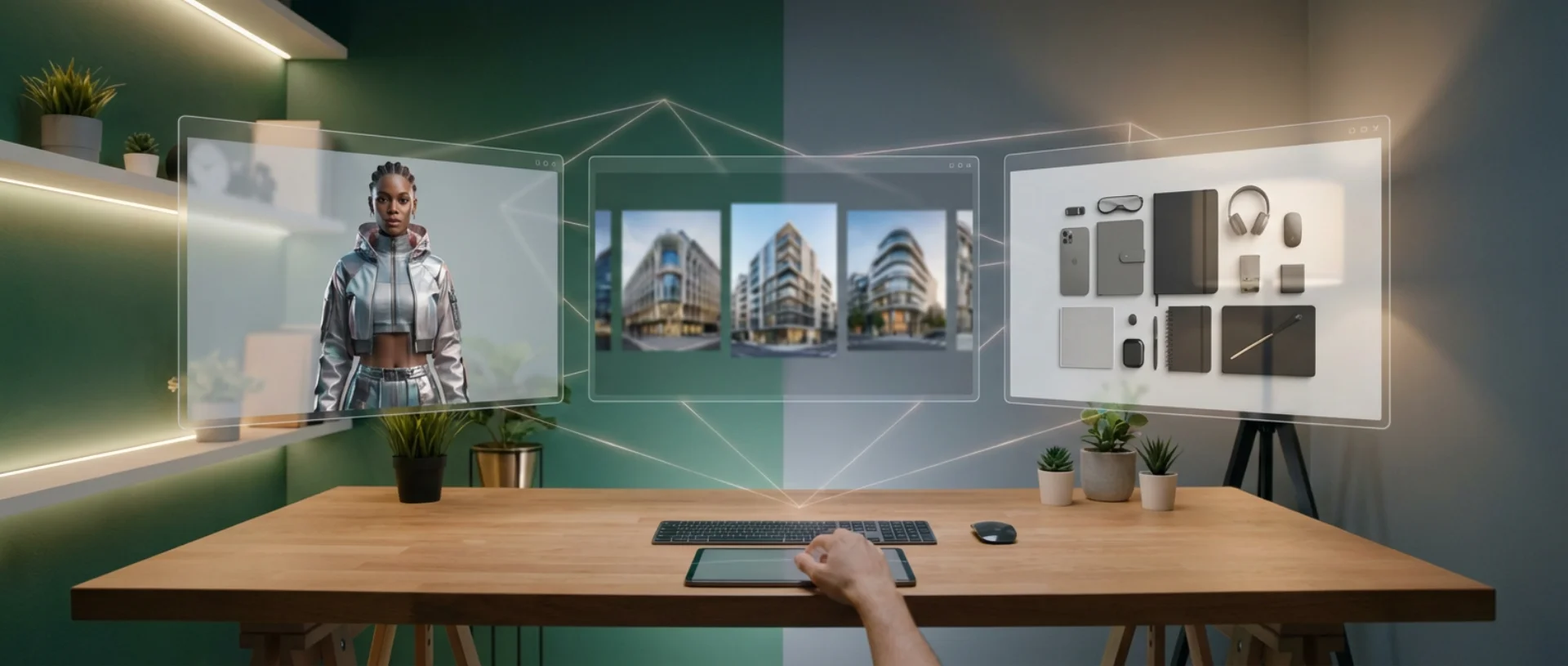
YourRender.ai introduces a revolutionary workflow that allows you to create complex compositions with multiple elements: products, characters, and backgrounds. Thanks to our three specialized studios, you can now design professional marketing scenes that combine:
- Character Studio: Generate photo-realistic models with precise control over style, age, ethnicity
- Background Studio: Create isolated professional settings (cafe, office, nature, studio)
- Accessory Studio: Add secondary products to enrich your compositions
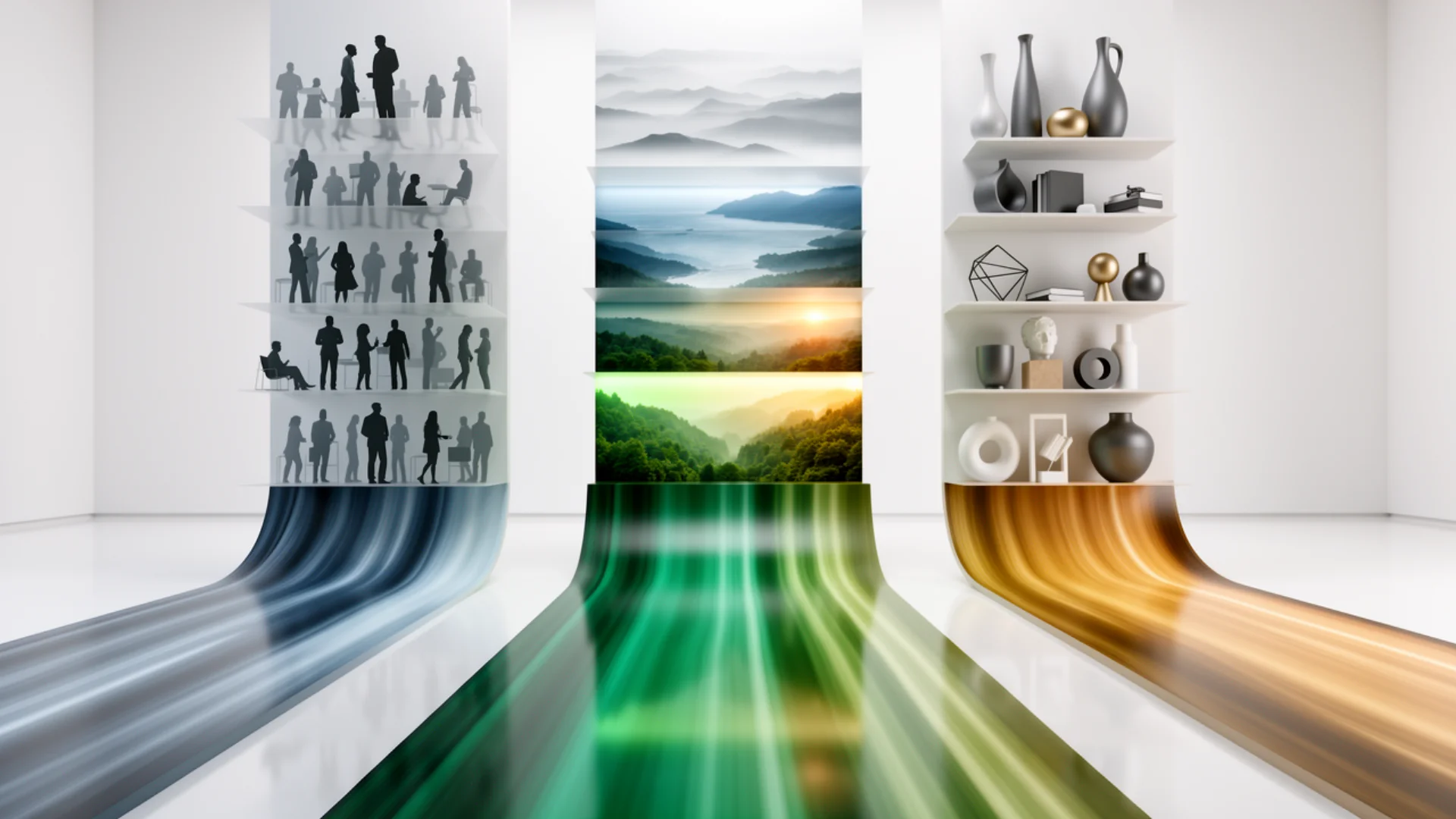
This modular approach gives you total control over every element of your final scene.
Why Use the Multi-Product Workflow?
Typical Use Cases
Fashion and Accessories E-commerce
- Showcase multiple items from a collection together
- Create complete looks (clothing + shoes + bag)
- Generate consistent lifestyle ambiances
Lifestyle Product Marketing
- Place your products in realistic scenes
- Add characters to create emotion
- Control every element of the composition
Brand Communication
- Create visuals consistent with your identity
- Generate infinite variations of the same scene
- Test different product/model/setting combinations
Advantages Compared to Traditional Photography
| Traditional Photography | YourRender.ai Multi-Product Workflow |
|---|---|
| €500-2000 per shoot | 6-9 Standard credits, 45 Premium credits |
| Model + studio + product coordination | Everything controlled from the interface |
| 1-2 days of preparation + shooting | 2-3 minutes per composition |
| Limited to available equipment | Infinite possibilities |
| Complex manual retouching | AI generates the final composition |
Studio 1: Generate Your Characters
Accessing the Character Studio
- Go to Premium Studio (left sidebar menu)
- Click on "Character Studio" at the top of the page
- The character generation interface will appear
Customization Options
Model Details
- Gender: Male, Female, Non-binary
- Age: 18-25, 25-35, 35-45, 45-55, 55+
- Ethnicity: Caucasian, African, Asian, Latino, Middle Eastern, Mixed
- Style: Casual, Business, Sporty, Elegant, Streetwear
Generation Parameters
- Aspect Ratio: Portrait (3:4), Square (1:1), Landscape (4:3)
- Resolution: 1K (1024px) only
- Quality: Standard (9 credits, Nano Banana Standard) or Premium (45 credits, Nano Banana Pro)
- Number of Variants: 1-4 simultaneous generations
Example: Generating a Model for a Fashion Product
Configuration:
- Gender: Female
- Age: 25-35 years old
- Ethnicity: Mixed
- Style: Elegant
Custom Prompt: "Elegant female model, 30 years old, medium-length hair, natural makeup, confident expression, professional studio lighting, neutral background"
Parameters:
- Aspect Ratio: 3:4 (portrait)
- Resolution: 1K
- Quality: Standard (9 credits) for quick tests, or Premium (45 credits) for maximum quality
Result: Photo-realistic model that you can download and use in the Multi-Product workflow.
Tips for Successful Characters
✅ Be specific about the emotion: "slight smile", "confident gaze", "relaxed expression"
✅ Specify the lighting: "professional studio", "natural light", "dramatic lighting"
✅ Mention the framing: "medium shot", "bust shot", "full body shot"
✅ Generate multiple variants to choose the best one
❌ Avoid overly vague prompts: "beautiful woman" → prefer "elegant woman, 28 years old, professional makeup"
❌ Do NOT include products in the Character Studio (add them later)
Studio 2: Create Your Backgrounds
Accessing the Background Studio
- From Premium Studio, click on "Background Studio"
- Choose your type of environment
- Generate an isolated setting (without product or person)
Available Background Types
Professional Interiors
- Modern office with glass roof
- Cozy cafe with vintage furniture
- Industrial loft with exposed brick
- Minimalist contemporary living room
Lifestyle Exteriors
- Urban street with graffiti
- Park with natural vegetation
- Beach at sunset
- Mountain with panoramic landscape
Studios and Neutral Settings
- Professional studio white background
- Gray background with gradient
- Colored cyclorama (pink, blue, green)
- Abstract setting with textures
Example: Cafe Background for a Handbag
Type: Lifestyle interior
Prompt:
"Elegant Parisian cafe, vintage wooden table, window with soft natural light, blurred background (bokeh), warm ambiance, no people, no visible product"
Aspect Ratio: 4:3
Resolution: Standard
Result: High-quality background that you will combine with character + product in Nano Banana Pro Multi-Product.
Important Technical Parameters
Aspect Ratio: Must match your final composition
- Fashion product portrait → 3:4
- Instagram post → 1:1
- Instagram Story → 9:16
- Facebook post → 4:3
Resolution
- 1K (1024px) only - Optimized for web and social media
Quality
- Standard (6 credits): Seedream 4.0 - Fast generation (~30s)
- Premium (45 credits): Nano Banana Pro - Maximum quality (~1 min)
Depth of Field
- Add "blurred background" or "bokeh" to give depth
- Specify "sharp throughout the image" for catalog settings
Studio 3: Accessory Studio - Generate Your Accessories
Accessing the Accessory Studio
- From Premium Studio, click on "Accessory Studio"
- Choose your type of accessory
- Generate isolated products (watches, jewelry, shoes, bags, etc.)
Available Accessory Types
Fashion and Leather Goods
- Luxury watches with detailed dial
- Designer handbags with leather textures
- Elegant shoes (heels, sneakers, boots)
- Leather belts with metal buckles
Jewelry and Accessories
- Necklaces, bracelets, earrings
- Sunglasses with reflective lenses
- Silk scarves with patterns
- Stylized hats and caps
Lifestyle Objects
- Premium water bottles
- Wireless headphones
- Tech accessories (phone cases, chargers)
- Cosmetic products (perfumes, lipsticks)
Example: Generating a Luxury Watch
Configuration:
- Type: Watch
- Style: Luxury
- Materials: Polished steel + leather strap
Custom Prompt: "Luxury watch with polished steel case, brown leather strap, white dial with gold markers, blue hands, neutral professional studio background"
Parameters:
- Aspect Ratio: 1:1 (square)
- Resolution: 1K
- Quality: Premium (45 credits) for maximum detail
Result: High-quality accessory that you can combine with character + background in Multi-Product.
Tips for Successful Accessories
✅ Be specific about the materials: "grained leather", "brushed metal", "rose gold"
✅ Specify the details: "visible stitching", "engraved logo", "gold zipper"
✅ Mention the lighting: "professional studio", "metallic reflections", "soft shadows"
✅ Use Premium for fine details (textures, engravings, reflections)
❌ Avoid generic prompts: "beautiful bag" → prefer "brown grained leather bag, gold handles, contrasting stitching"
❌ Do NOT include characters or complex backgrounds (generate them separately)
The Complete Multi-Product Workflow: Step by Step
#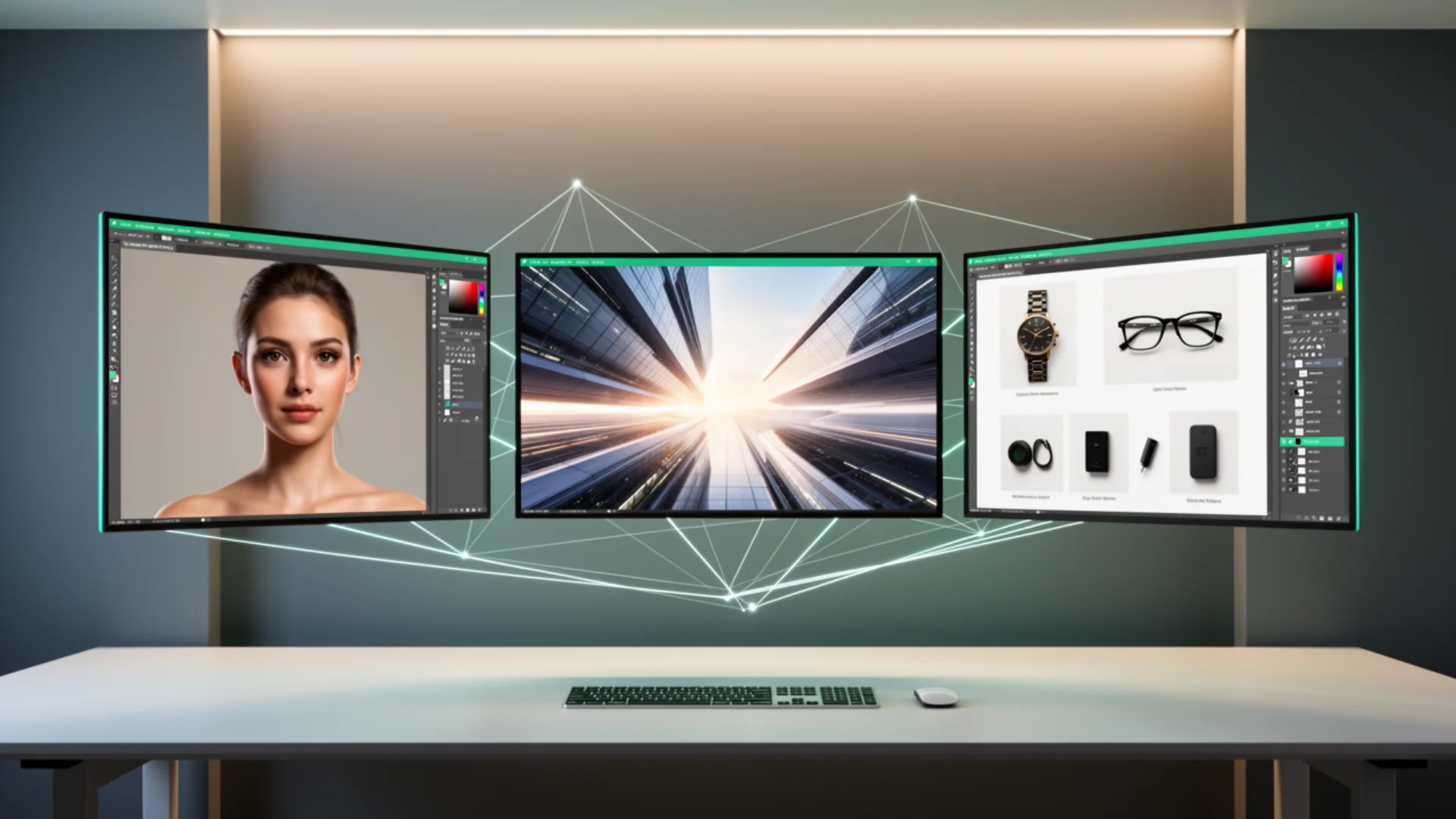
Step 1: Generate All Your Elements
- Character Studio → Generate your model (3:4, 1K, 9 Standard credits or 45 Premium credits)
- Background Studio → Create your background (3:4, 1K, 6 Standard credits or 45 Premium credits)
- Accessory Studio → Generate your complementary accessories (1:1, 1K, 6 Standard credits or 45 Premium credits)
- Prepare your main product → High-quality photo on a neutral background
Download all these elements to your computer in a dedicated folder.
Step 2: Access Nano Banana Pro Multi-Product
- Go to Premium Studio
- Select "Nano Banana Pro" in the menu
- Choose "Multi-Product" from the categories
Step 3: Upload Your Reference Images
"Image References" Section
- Click on "+ Add Reference Image"
- Upload in order:
- Character (generated in Character Studio)
- Background (generated in Background Studio)
- Main product
- Accessories (up to 3 additional products)
Step 4: Write Your Creative Prompt
Recommended Structure
[GENERAL DESCRIPTION OF THE SCENE]
Elegant female model wearing a brown leather handbag in a bright Parisian cafe
[COMPOSITION AND PLACEMENT]
The model is sitting at a vintage wooden table near a window, the bag placed on the table next to a cup of coffee
[ACCESSORIES AND DETAILS]
Matching brown shoes visible, elegant watch on her wrist, silk scarf on the back of the chair
[AMBIANCE AND STYLE]
Soft natural light coming from the window, warm and sophisticated ambiance, premium lifestyle style
[PHOTO TECHNIQUE]
Professional photo, focus on the bag, slightly blurred background (bokeh), balanced composition
Step 5: Configure Modifiers (Optional)
Lifestyle Modifiers (recommended for Multi-Product)
- ✅ "Natural lighting" → realistic light
- ✅ "Professional photography" → studio quality
- ✅ "Shallow depth of field" → selective focus
Standard Modifiers (for final adjustments)
- Ambiance: Warm, Moody, Bright
- Colors: Vibrant, Muted, Monochrome
- Style: Contemporary, Vintage, Minimalist
Step 6: Generation Parameters
Aspect Ratio: Must match your references (3:4 for portrait)
Resolution: 1K - Optimized for web and social media
Number of Generations: 1-4 variants
- 1 generation = 45 credits (Nano Banana Pro 1K)
- 4 generations = 180 credits (to compare multiple compositions)
Note: The 3 studios have different prices depending on the model used:
- Character Studio Standard: 9 credits (Nano Banana Standard)
- Background/Accessory Studio Standard: 6 credits (Seedream 4.0)
- All Premium: 45 credits (Nano Banana Pro)
Step 7: Generate and Refine
- Click on "Generate with Google 3.0"
- Wait 60-90 seconds (Multi-Product takes longer)
- Examine the result
If the result isn't perfect:
- Adjust your prompt (be more precise about placement)
- Modify the modifiers (test different ambiances)
- Change the order of the reference images (the AI prioritizes the first ones)
Complete Example: Lifestyle Handbag Workflow
Uploaded References:
- Elegant female model (Character Studio)
- Bright Parisian cafe (Background Studio)
- Brown leather handbag (main product)
- Brown shoes (accessory 1)
- Gold watch (accessory 2)
Prompt:
Elegant female model sitting at a Parisian cafe table near a bright window. The brown leather handbag is placed on the table next to a steaming cup of coffee. The model is wearing matching brown shoes and an elegant gold watch. Soft natural light coming from the window, warm and sophisticated ambiance, premium lifestyle style for luxury e-commerce. Professional photo, focus on the bag, slightly blurred background (bokeh), balanced and harmonious composition.
Selected Modifiers:
- Natural lighting
- Professional photography
- Shallow depth of field
- Warm ambiance
Result: Professional lifestyle composition with all elements harmoniously integrated.
Advanced Tips for Mastering Multi-Product
Rule #1: Visual Consistency
All your elements must have the same photographic style:
- Same lighting quality (studio vs natural)
- Same level of sharpness
- Same color temperature
❌ Mixing studio photo with white background + smartphone photo with complex background
✅ All references in studio style OR all in lifestyle
Rule #2: Clear Hierarchy
The AI must understand which is the main product:
- Mention it first in the prompt
- Upload it in 3rd position (after character + background)
- Specify "focus on [main product]"
Rule #3: Optimal Number of Elements
For consistent results:
- 1 character + 1 background + 1-3 products = ✅ Ideal
- 1 character + 1 background + 4-6 products = ⚠️ Risk of confusion
- 2 characters + multiple products = ❌ Too complex
The more elements you add, the more precise your prompt must be about placement.
Rule #4: Progressive Testing
Recommended Approach:
- First test character + background (without product)
- Add the main product
- Add the accessories one by one
This allows you to quickly identify which element is causing problems.
Rule #5: Exploit the Modifiers
To control the ambiance:
- "Natural lighting" + "Warm" → warm lifestyle scene
- "Professional photography" + "Clean" → e-commerce catalog style
- "Moody" + "Muted colors" → premium artistic ambiance
For technical quality:
- "Sharp details" → maximum sharpness on products
- "Shallow depth of field" → selective focus
- "Studio lighting" → controlled professional lighting
Common Errors and Solutions
Problem 1: Products Are Not Visible
Cause: Prompt not precise enough about placement
Solution: Specify exactly where to place each product
❌ "Model with bag and shoes"
✅ "Model sitting, bag placed on her lap, shoes visible on the floor next to her"
Problem 2: The Background Dominates the Composition
Cause: Background too detailed or colorful
Solution: Regenerate a more neutral background with "blurred background"
Problem 3: The Products Are Distorted
Cause: Poor quality reference images or different perspectives
Solution: Use photos on a neutral background, uniform lighting, same angle of view
Problem 4: The Character Seems Artificial
Cause: Inconsistency between the lighting of the character and the background
Solution: Regenerate the character with "studio lighting" OR "natural lighting" depending on your background
Problem 5: The Colors Don't Match
Cause: Different color temperatures between the references
Solution: Add a "Color correction" or "Warm/Cool tones" modifier as needed
Professional Use Cases
Fashion E-commerce
Objective: Show a complete outfit (clothing + accessories)
Setup:
- Character: Model matching your target audience (age, style)
- Background: Neutral (white/gray studio) to focus on the products
- Products: Dress + bag + shoes + jewelry
Key Prompt:
Female model wearing a floral summer dress, beige handbag on her shoulder, wedge shoes on her feet, gold necklace visible. Professional studio white background, soft and uniform lighting, high-quality e-commerce catalog photo, all products clearly visible.
Premium Lifestyle Marketing
Objective: Create an aspirational scene with emotion
Setup:
- Character: Elegant model with a positive expression
- Background: Luxurious environment (chic cafe, modern loft)
- Products: Main product + 1-2 complementary accessories
Key Prompt:
Elegant woman sitting in a high-end Parisian cafe, holding a cup of coffee, luxury bag placed on the bench next to her, watch visible on her wrist. Soft natural light coming from large windows, sophisticated and warm ambiance, premium magazine editorial style.
Social Media Advertising
Objective: Eye-catching visual for Instagram/Facebook
Setup:
- Character: Young, dynamic, smiling
- Background: Urban or nature depending on the brand
- Products: 1 main product + lifestyle context
Key Prompt:
Smiling young woman outdoors, holding a colorful bag, blurred modern urban background, golden hour lighting, joyful and energetic ambiance, dynamic composition for social media, vibrant colors.
Cost Optimization
Effective Generation Strategy
Step 1: Testing with Standard (Economical)
- Character Studio Standard: 9 credits (Nano Banana Standard)
- Background Studio Standard: 6 credits (Seedream 4.0)
- Accessory Studio Standard: 6 credits (Seedream 4.0)
- Total to test your composition: 21 credits (~€0.42)
Step 2: Final Version with Premium (Maximum Quality)
- Character Studio Premium: 45 credits
- Background Studio Premium: 45 credits
- Accessory Studio Premium: 45 credits
- Final Multi-Product: 45 credits
- Total for a professional visual: 180 credits (~€3.60)
Vs traditional photo shoot: €500-2000
- Savings: 99%
Smart Reuse
Generate Once, Reuse Multiple Times:
- Character Studio → Create 3-4 different models (27-36 credits) → reusable library
- Background Studio → 5-6 varied settings (30-36 credits) → usable for all your products
- Accessory Studio → 10+ accessories (60 credits) → combine infinitely
Typical ROI:
- 10 professional visuals = ~1200 credits = ~€24
- Equivalent photo shoot = €1500-3000
- Savings: 98%
Example Prompts by Industry
Cosmetics and Beauty
Female model with a radiant complexion holding an elegant perfume bottle, minimalist powder pink background, cosmetic products arranged harmoniously on a marble surface, soft and flattering lighting, beauty magazine editorial style, focus on the perfume, luxurious and feminine ambiance.
Technology and Gadgets
Modern young man using wireless headphones, laptop open on the table, smartwatch visible on his wrist, minimalist contemporary office background, natural lighting, professional and tech-savvy ambiance, clean composition.
Food and Beverages
Smiling barista behind a coffee counter, holding a handcrafted cup, coffee beans and barista accessories visible, industrial cafe background with wooden shelves, warm light, authentic and friendly ambiance, food photography lifestyle style.
Fitness and Sports
Female athlete in sportswear holding a premium water bottle, yoga mat and fitness accessories nearby, bright modern gym background, energetic lighting, motivating and dynamic ambiance, active composition.
Conclusion: Master the Multi-Product Workflow
The three-studio system of YourRender.ai revolutionizes the creation of marketing content:
✅ Total control: Each element (character, setting, accessories) is generated separately and then combined
✅ Maximum flexibility: Test hundreds of combinations without a new shoot
✅ Professional quality: AI Gemini 3.0 Pro Image generates photo-realistic compositions
✅ Negligible cost: 6-9 credits (Standard) or 45 credits (Premium) per element vs €500-2000 for a shoot
Next Steps
- Practice with a simple project: 1 character + 1 background + 1 product
- Create your library: 5 reusable characters + 5 reusable backgrounds
- Experiment with modifiers: Find your signature style
- Move on to complex compositions: 3-4 products harmoniously integrated
Need help? Check out our example gallery or contact support for personalized advice.
Frequently Asked Questions
Limits and Possibilities
Q: How many products can I add to a Multi-Product composition?
A: We recommend a maximum of 4-5 products to maintain optimal consistency. Beyond that, the AI may have difficulty harmoniously placing all the elements. If you need to show more products, the best approach is to create several complementary compositions.
💡 Tip: For a composition with 6+ products, divide it into 2 scenes: for example, a "complete look" scene (3 main products) and an "accessories" scene (3 secondary products).
Q: Can I generate videos with the Multi-Product workflow?
A: Currently, the Multi-Product workflow (combination of character + background + products) is available only for static images with Nano Banana Pro.
For video, we offer VEO 3.1 which generates videos from a single product + prompt, but not yet with the Multi-Product system.
💡 Tip: First generate your perfect Multi-Product composition as an image, then use that image as a base to create a video with VEO 3.1.
Costs and Credits
Q: Do images generated in the 3 studios consume credits?
A: Yes, each generation consumes credits. Here are the details by studio and by quality:
Standard Mode (fast and economical):
- Character Studio: 9 credits (Nano Banana Standard)
- Background Studio: 6 credits (Seedream 4.0)
- Accessory Studio: 6 credits (Seedream 4.0)
Premium Mode (maximum quality):
- All studios: 45 credits (Nano Banana Pro)
- Final Multi-Product: 45 credits
💡 Typical budget: For a complete composition in Standard → 30 credits (€0.60). In Premium → 180 credits (€3.60). Compared to €500-2000 for a professional photo shoot.
Q: What is the difference between Standard and Premium?
A: Both modes offer excellent quality, but with different uses:
Standard (6-9 credits):
- ⚡ Fast generation (~30 seconds)
- 📱 Optimal quality for web, social media, e-commerce
- 🎯 1K (1024px) resolution - perfect for 90% of uses
- 💰 Economical for testing concepts
Premium (45 credits):
- 🎨 Maximum quality (~60 seconds)
- 🖼️ Ultra-precise details, photo-realistic textures
- 📸 Best for luxury products, print, large posters
- ✨ Professional magazine rendering
💡 Recommended strategy: Test your composition in Standard (inexpensive), then regenerate in Premium only the final version you keep.
Quality and Resolution
Q: What resolution for professional printing?
A: The 3 studios (Character, Background, Accessory) generate in 1K (1024px), which is optimized for the web and social media.
For high-resolution professional printing (catalogs, posters, print), you must use the Premium mode of Nano Banana Pro which can generate in 2K or 4K.
📏 Resolution Guide:
- 1K (1024px) → Web, social media, online e-commerce
- 2K (2048px) → A4 prints, brochures
- 4K (4096px) → Large format posters, premium catalogs
Q: How to improve the visual consistency between my references?
A: Consistency is essential for a professional result. Here are the 3 golden rules:
Same type of lighting: If your character is in "studio lighting", your background must also be in controlled lighting. If your character is in "natural lighting", choose a background with natural light.
Same photographic style: Do not mix studio photo with white background + smartphone photo with complex background. Keep a consistent style (studio vs lifestyle vs outdoor).
Same color temperature: Avoid mixing warm ambiance (golden hour) with cold ambiance (white studio). The AI will detect the inconsistency.
💡 Simple test: If your 3 images (character, background, product) seem to come from the same photographer, it's good. If they seem to come from 3 different sources, regenerate to harmonize.
Rights and Usage
Q: Can I use photos of real models instead of the Character Studio?
A: Yes, you can upload your own photos of models, BUT:
⚠️ You MUST have the rights to use these images (contract signed with the model, commercial rights, etc.)
✅ Advantage of the Character Studio: The models generated by AI are 100% royalty-free, no contract or royalties. You can use them commercially without restriction.
💡 Recommendation: If you are doing commercial content on a large scale, use the Character Studio to avoid any legal problems.
Q: Can I reuse my generated characters and backgrounds?
A: Absolutely! It's even the most cost-effective strategy.
✅ Library Strategy:
- Generate 5-6 different characters (varied profiles)
- Create 5-6 professional backgrounds (cafe, office, outdoor, studio)
- Photograph your products once on a neutral background
- Combine infinitely: 5 characters × 5 backgrounds × 10 products = 250 possible compositions
💰 ROI: Invest ~180 credits once to create your library, then reuse it for free in all your future Multi-Product compositions.
Common Problems
Q: Why do my products appear distorted in the final composition?
A: Generally, this comes from the quality or consistency of the reference images. Here are the solutions:
✅ Quality Checklist:
- Images on a neutral background (white or transparent)
- Uniform lighting without harsh shadows
- Consistent perspective (all viewed from the front OR all at an angle)
- Sufficient resolution (minimum 512px)
❌ To Avoid:
- Smartphone photos with a complex background
- Different lighting between products
- Products of very different sizes/scales
💡 Quick test: Generate first with only 1 product. If it is sharp and well placed, add the others gradually.
Q: How do I get help if my composition doesn't work?
A: If after several attempts your result is not satisfactory:
- 📧 Contact support with your reference images and your prompt
- 🎨 Consult the example gallery to see successful compositions
- 💬 Join our community to get advice from other users
- 📖 Reread the "Common Errors" sections of this guide
🎁 Bonus: We offer free support for your first Multi-Product composition if you request it!