Product Kit: The Complete Guide to Creating Your AI Product Kit
Learn how to automatically generate a complete set of professional images and videos for your product in just 5 simple steps with artificial intelligence.
Quick Summary
Product Kit is an automatic generator that creates a complete kit of images and videos for your product. In 5 simple steps, you get:
- Lifestyle images: your product in real-life situations
- Social media content: optimized formats for Instagram, Facebook, LinkedIn, TikTok
- Editorial photos: magazine and high-fashion style
- Promotional videos: short and long clips for your campaigns
Prerequisite: have a Brand Profile created with Brand AI.
🎯 What is Product Kit?
Product Kit is your intelligent creative assistant. Imagine having a team of photographers, videographers, and designers at your disposal 24/7. That's exactly what this feature offers.
The Problem Solved
Creating professional visual content for a product typically takes:
- 2-3 days for a traditional photo shoot
- $5,000 to $15,000 for complete production
- Weeks of coordination with photographers, models, studios
The Product Kit Solution
With Product Kit, you get in less than 30 minutes:
- Dozens of professional images
- Ready-to-use promotional videos
- Content perfectly adapted to your brand
- All at a fraction of the traditional cost
📋 The 5-Step Workflow
Product Kit works like an assistant guiding you step by step. Here's the complete journey:
| Step | Name | Description | Estimated Time |
|---|---|---|---|
| 1 | Upload | Upload your product photos | 2 min |
| 2 | Moodboards | AI generates 3 visual directions | 2 min |
| 3 | Configure | Choose your formats and quantities | 5 min |
| 4 | Generate | AI creates your content | 10-20 min |
| 5 | Ready | Download your complete kit | 1 min |
🚀 Step 1: Upload - Upload Your Product
What You Need
- A Brand Profile (created via Brand AI)
- 1 to 5 photos of your product
- Your product name
How to Proceed
- Access Product Kit from the menu or from your Brand Profile
- Select your Brand Profile from the dropdown menu
- Enter your product name (e.g., "Premium Artisan Coffee 500g")
- Drag and drop your images or click to select them
Tips for Better Photos
- Neutral background: use a white or transparent background
- High resolution: minimum 1024px recommended
- Multiple angles: show your product from different angles
- Natural lighting: avoid harsh shadows
Once ready, click "Analyze Product" to proceed to the next step.
🎨 Step 2: Moodboards - Choose Your Visual Direction
Automatic Moodboard Generation
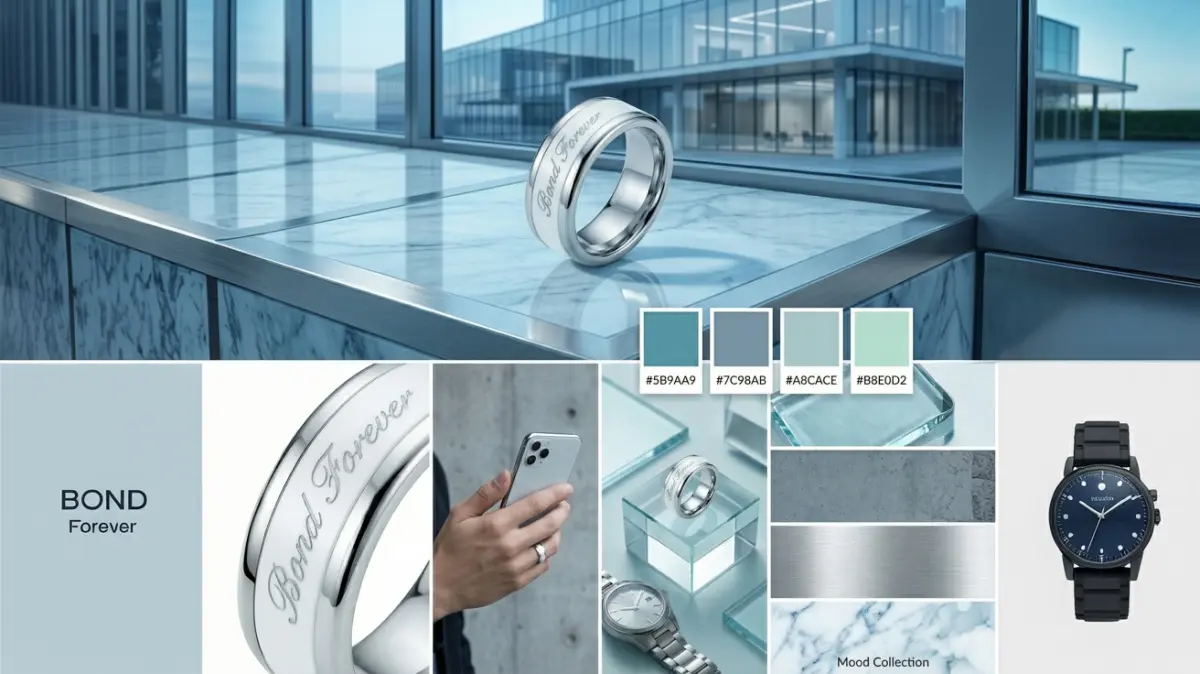
The AI analyzes your product and Brand Profile to create 3 unique visual proposals:
| Moodboard | Description |
|---|---|
| Recommended | The optimal direction according to AI |
| Warm Variation | Warm and welcoming tones |
| Cool Variation | Fresh and modern tones |


What Each Moodboard Contains
Each proposal includes:
- A reference image generated by AI
- A color palette of 5 harmonious shades
- Keywords describing the mood (e.g., "elegant", "natural", "premium")
- A description explaining the chosen style
Moodboard Cost
Generating the 3 moodboards costs 72 credits (24 credits × 3).
How to Choose
Take time to examine each proposal. The moodboard you select will guide all generation of your kit. Ask yourself these questions:
- Do the colors match your brand?
- Does the mood reflect your positioning?
- Would your customers recognize themselves in this style?
Click "Choose" under the selected moodboard to continue.
⚙️ Step 3: Configure - Customize Your Kit
This step allows you to precisely define what you want to generate. Two tabs are available:
"Social Networks" Tab
Generate optimized content for each platform:
| Platform | Available Formats |
|---|---|
| Vertical Feed, Square, Tall Grid, Story | |
| Vertical Feed, Square, Cover | |
| Square, Landscape, Vertical | |
| TikTok | TikTok Format (9:16) |
| YouTube | Thumbnail (16:9) |
| Pinterest Format (2:3) | |
| Twitter/X | Twitter Format |
For each format, set the number of variations (0 to 5).
Quick Packs
Save time with preconfigured packs:
- Instagram Starter: 3 essential formats
- Social Complete: all networks covered
- E-commerce: online store formats
"Creative Styles" Tab
Image Categories
| Category | Description | Credits/image |
|---|---|---|
| Lifestyle | Product in real situation with people | 24 |
| Creative Social | Eye-catching content for social media | 24 |
| Editorial | Magazine style, high fashion | 24 |
| Multi-Product | Product with accessories or variants | 24 |
| Typography | Product with text and graphics | 24 |
Video Styles
| Style | Description | Credits/video |
|---|---|---|
| Lifestyle with Persona | Video with model interaction | 83 |
| Hero Video | Short clip for landing page | 83 |
| Long Video | Complete production (premium quality) | 342 |
Persona Selection
Choose which persona from your Brand Profile will be used for lifestyle content:
- Primary: your main target
- Secondary: your secondary target
- Aspirational: the ideal customer you're aiming for
Credit Estimation
At the bottom of the page, you see the estimated total credits needed in real-time. Adjust your quantities according to your budget.
Click "Generate My Kit" to start production.
⏳ Step 4: Generate - Track Progress
Real-Time Tracking
During generation, you see:
- Overall progress bar: completion percentage
- Status by category: each content type with its progress
- Estimated time remaining: based on your kit complexity
Possible States
| State | Icon | Description |
|---|---|---|
| Pending | Clock | Not yet started |
| In Progress | Loading | Active generation |
| Completed | Green Check | Content ready |
| Failed | Red X | Error (can retry) |
Estimated Duration
| Content Type | Time per Item |
|---|---|
| Images | ~30 seconds |
| Videos | ~90 seconds |
Example: A kit of 20 images and 2 videos takes approximately 13 minutes.
In Case of Error
If an item fails, don't worry:
- The rest of the kit continues generating
- In the final step, you can regenerate failed items individually
🎉 Step 5: Ready - Download Your Kit
Your Kit is Ready!
Once generation is complete, you have access to:
Image Gallery
All your images organized by category:
- Click an image to view it large
- Individual download button on each image
- "Download All Images" option as ZIP
Video Gallery
Your videos with preview:
- Playback directly in the application
- Individual or grouped download
- Badge indicating style (Hero, Lifestyle, etc.)
Download Options
| Option | Content |
|---|---|
| Download All | Complete ZIP (images + videos) |
| Images Only | ZIP of images organized by category |
| Videos Only | ZIP of videos |
Create a New Kit
From this page, click "New Kit" to start over with another product.
💡 Tips for Optimal Results
Before You Start
- Complete your Brand Profile: the more detailed it is, the better the results
- Prepare quality photos: AI works better with good base images
- Define your goal: advertising campaign, product launch, daily content?
During Configuration
- Start small: test with a few images before a big kit
- Mix styles: vary lifestyle, editorial, and social for more diversity
- Think multi-platform: generate for all your channels at once
After Generation
- Sort your favorites: not all content will be perfect, select the best
- Test on your networks: see which styles perform best
- Iterate: create new kits with learnings from previous ones
❓ Frequently Asked Questions
How Much Does a Complete Product Kit Cost?
The cost depends on your configuration:
- Minimal kit (10 images):
240 credits ($2.40) - Standard kit (30 images + 2 videos):
900 credits ($9) - Complete kit (50 images + 5 videos):
1,700 credits ($17)
Can I Use the Images Commercially?
Yes! All generated images and videos belong to you and can be used for commercial purposes (ads, social media, e-commerce, etc.).
What If I Don't Like Some Images?
You can:
- Regenerate failed images for free
- Create a new kit with different settings
- Use Premium Studio for advanced manual touch-ups with Nano Banana Pro
Does Product Kit Work Without a Brand Profile?
No, a Brand Profile is mandatory. It ensures all generated content is consistent with your visual identity.
What Resolution Are the Generated Images?
Images are generated in high resolution (up to 2K or 4K depending on the chosen format).
Do the Videos Have Sound?
Lifestyle with Persona videos can include AI-generated dialogue. Hero and Long videos are usually without dialogue but may include ambient sound.
🏁 Conclusion
Product Kit is the ultimate tool for creating professional visual content in minutes. By combining brand analysis, artificial intelligence, and an intuitive interface, you get a complete workflow that rivals expensive productions.
Ready to create your first kit?
Start Now | Create My Brand Profile | View Pricing
Related Articles:
- Simple Image Studio: Complete Guide
- Video Director V2: Create AI Promotional Videos
- Brand AI: Optimize Your Brand Identity
Article updated December 2025. Features and pricing may evolve.